Text messaging
Verify a phone number in Settings, then text one platform number to start a workflow or get texts from the send step. Covers routing and the STOP keyword.
Text MadMax like a person, and your workflows run. One platform number serves everyone, and identity comes from the sending phone, not from which number you text.
Verify numbers (once each)
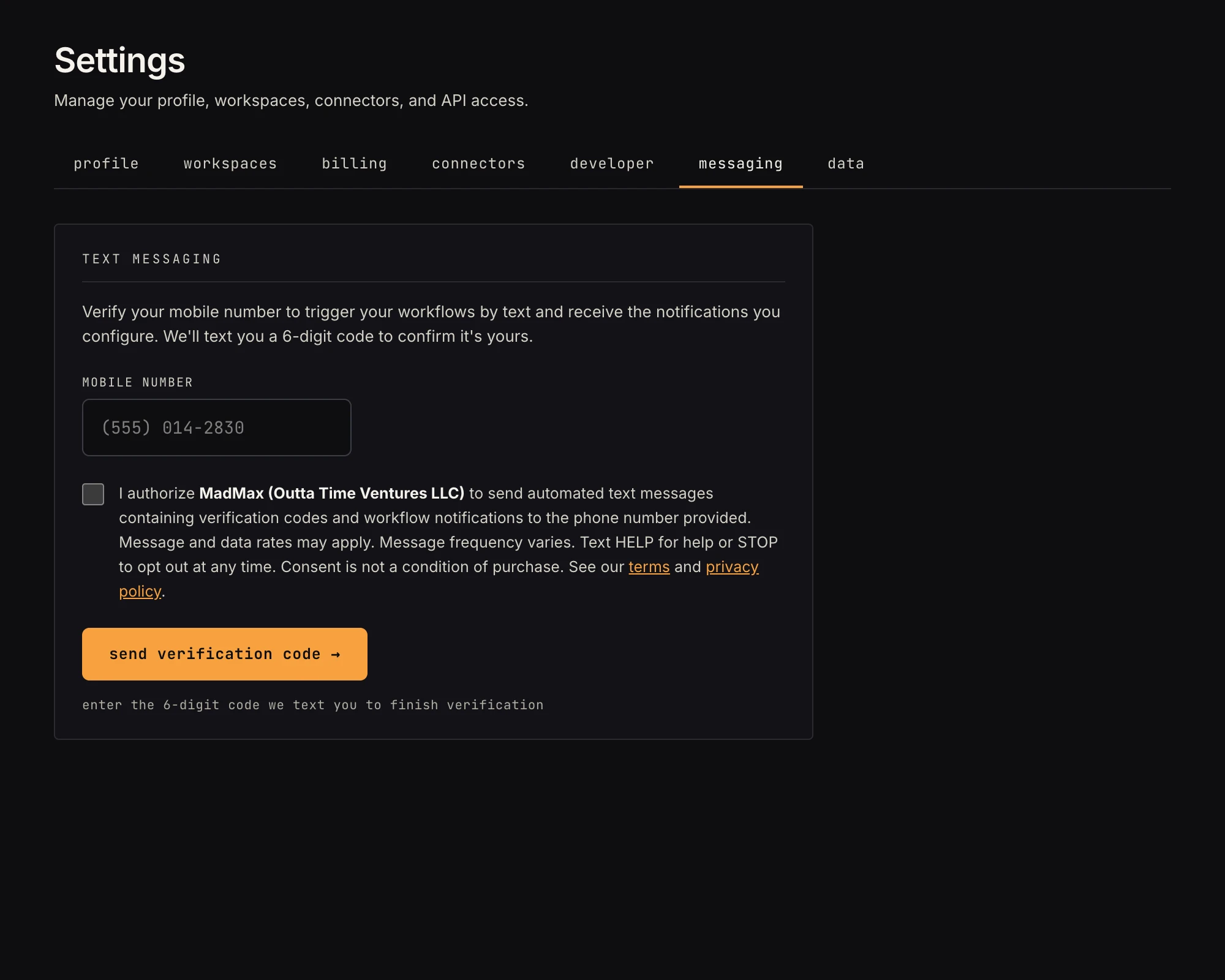 Verified numbers work both directions; unverified numbers don't exist to MadMax.
In Settings → messaging, add a number and confirm the 6-digit code we text it. A personal workspace holds one number; a team workspace holds up to ten. Verified numbers work both directions: texts FROM them reach the workspace's text-trigger workflows, and the send-text step can message them. Texts from unverified numbers are dropped before anything is processed.
The Text trigger
Drop a Text trigger on the canvas. There's nothing to configure. The inspector shows the number to text, and the step arms as soon as the workspace has a verified number. Payload:
payload.from: your numberpayload.text: the message you sentpayload.message_id,payload.received_at
Testing it
Press Run, text the number from your phone, and watch the run animate on the canvas. The message doubles as the step's pinned sample.
Send a text from a workflow
The Send text step messages a number from your workspace's phone book. Recipients are added in Settings → messaging: each number confirms a 6-digit code once (a personal workspace holds one number, a team workspace up to ten), and the step only ever offers verified numbers.
- The body is mustache-rendered against the payload, e.g.
{{payload.text}}or{{steps.<id>.output.field}} - Long messages trim at 480 characters (about three SMS segments)
- A per-workspace daily send cap applies; STOP always opts a recipient out at the carrier level
When you have several text workflows
MadMax answers like an operator (when it can tell what you meant, it leads with its best guess, but only your digit reply runs anything):
You: expense 14.50 lunch at joe's MadMax: Sounds like Expense tracker. Reply 1 to run it. 1. Expense tracker 2. Standup notes You: 1 MadMax: Running "Expense tracker".
Your original message is held while the question is pending and routed untouched when you answer, so you never retype. With exactly one text workflow running, messages route to it instantly, no question asked.
Good to know
- A workflow receives texts only while it's Active (or while you're testing with Run). Parked drafts are invisible to routing.
- Text STOP any time to stop receiving messages. The number suspends everywhere it's verified (triggers disarm, sends stop) until you text START. HELP for help. A number that hard- bounces repeatedly suspends the same way until re-verified. Message and data rates may apply; frequency varies. Details in our terms and privacy policy.