Building workflows
A workflow is steps connected by edges. The step palette by intent, referencing upstream data with templates, testing each step, and app connections.
A workflow is a graph: steps (nodes) connected by edges that carry each step's output into the next step's input.
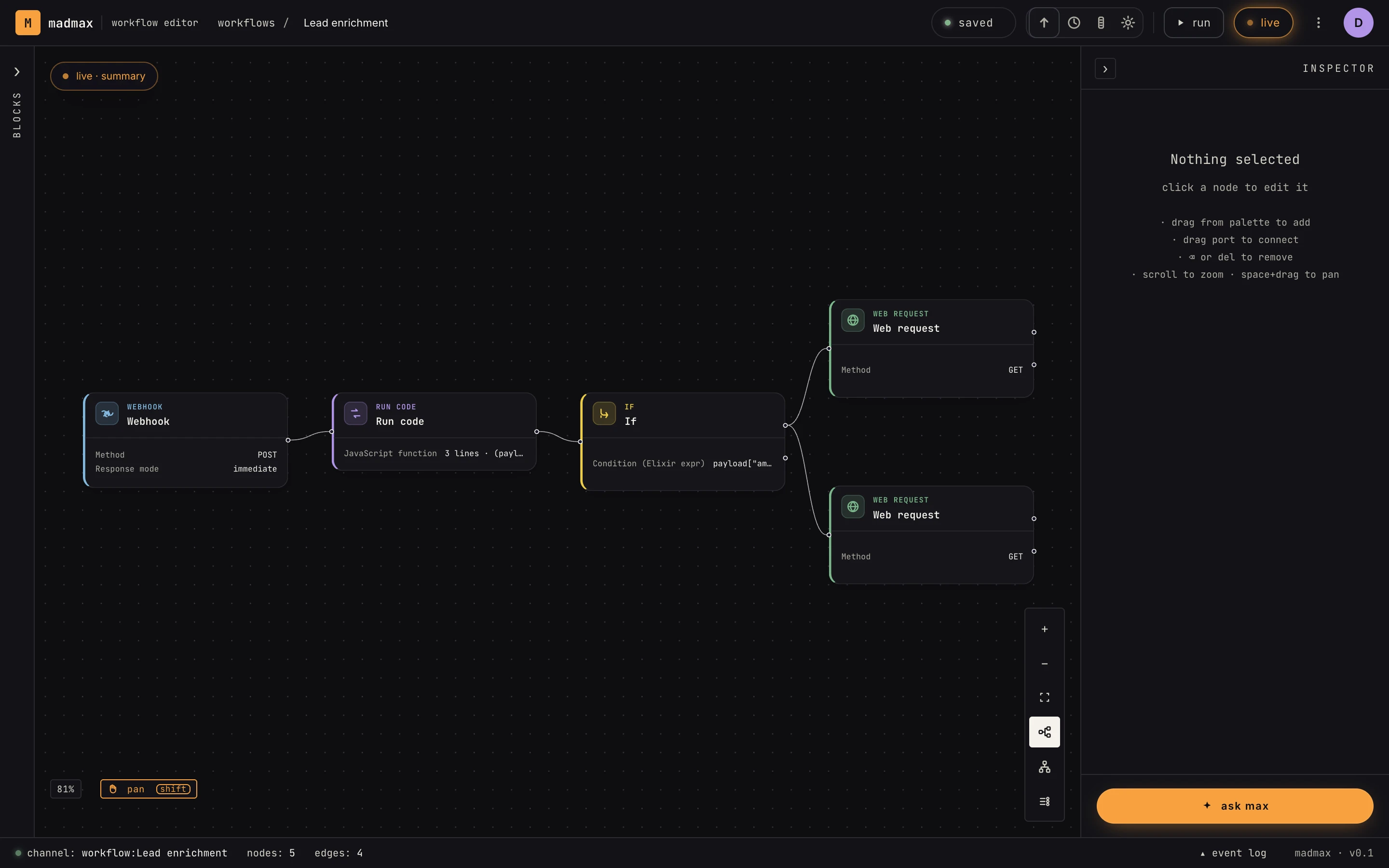 The canvas: a webhook feeding code, a branch, and two web requests. Click any card to configure it in the Inspector.
The palette
Steps are grouped into blocks by intent:
- start: triggers such as webhook, schedule, manual, watch, form, file upload, inbound email and text, call from another workflow
- understand: AI steps, including agents, classification, extraction
- transform: reshape data with set fields, reshape, merge, run code, extract HTML
- decide: if / else, switch, loop, loop until
- check: wait, human approval
- act: write to the outside world with web request, respond to webhook, send email, send text, get from / save to store, save to knowledge, and your connected apps
Drag a step onto the canvas (or ask Max to add it), then configure it in the Inspector on the right.
Referencing data between steps
Step configs interpolate upstream outputs with {{ }} expressions.
Pick fields from the reference panel in the Inspector rather than
typing paths by hand. A step's output shape is documented on its
template and visible from any real run.
Test as you go
Every step has a Test tab: hit Run step and MadMax runs it against real upstream data and shows you the output before you build on top of it. For webhook-triggered workflows, use capture sample to grab a real payload from the source system. Sample data you type in never counts as a verified test.
Integrations and connections
Steps that talk to external apps (Slack, Google Sheets, GitHub, …) need a connection. Set them up in Settings → connectors (OAuth where the provider supports it). A step missing its connection shows as incomplete in the Inspector, and activation is blocked until every step is complete.