Runs & run history
Every firing is a run with a status, a step pip strip, and a detail page: trigger inputs, a per-step timeline with input and output, and loop heatmaps.
Every firing of a workflow is a run. Each workflow's runs page (topbar menu → Run history, or the workflow's row on the Workflows index) shows them newest-first, updating live.
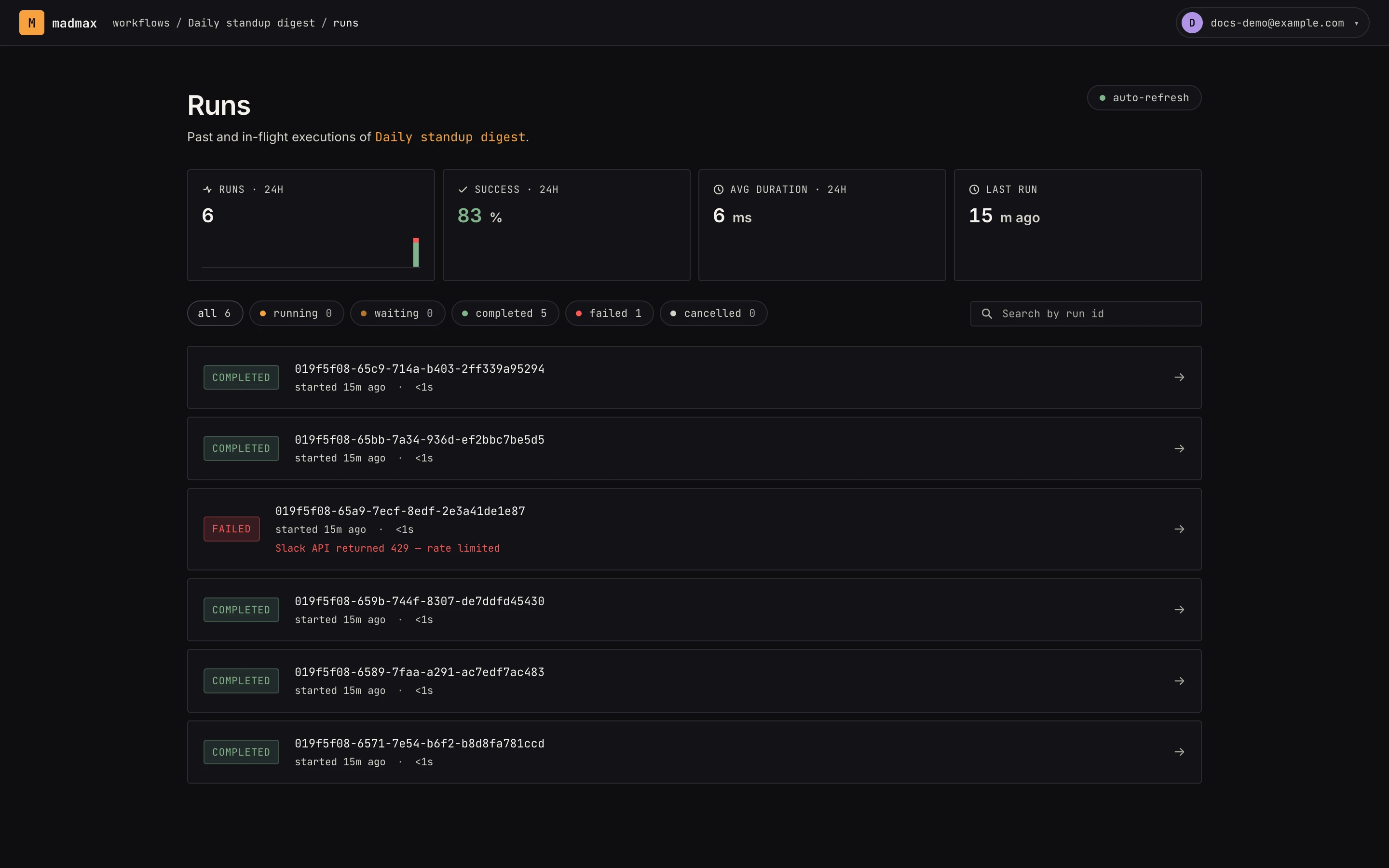 Runs newest-first: filter chips by status, and failed runs surface their error inline.
At the top is a 24-hour strip: run count with an hourly ok/error
sparkline, success rate, average duration, and the last run. Below,
filter chips (all / running / waiting / completed / failed / cancelled, each with its count) and a search box that finds runs
by id prefix.
Run statuses
| Status | Meaning |
|---|---|
pending |
queued, not started |
running |
executing now |
waiting |
paused on a halting step (approval, wait, sub-workflow) |
completed |
finished cleanly |
failed |
a step errored; the run detail shows which one and why |
cancelled |
you stopped it |
Each finished row also carries a step pip strip, one small square per step colored by its outcome, so a half-red run is recognizable before you open it.
The run detail
Open a run for the full story:
- Result: a summary card with the outcome, Steps OK / Failed counts, and a Preview / Raw toggle on the final output.
- Trigger inputs: exactly what started the run.
- Step timeline: one collapsible card per step with input, output, error, timing, and attempt count, each in a collapsible JSON viewer with copy. Failed steps carry a Repair with AI link that opens the canvas with the failure loaded.
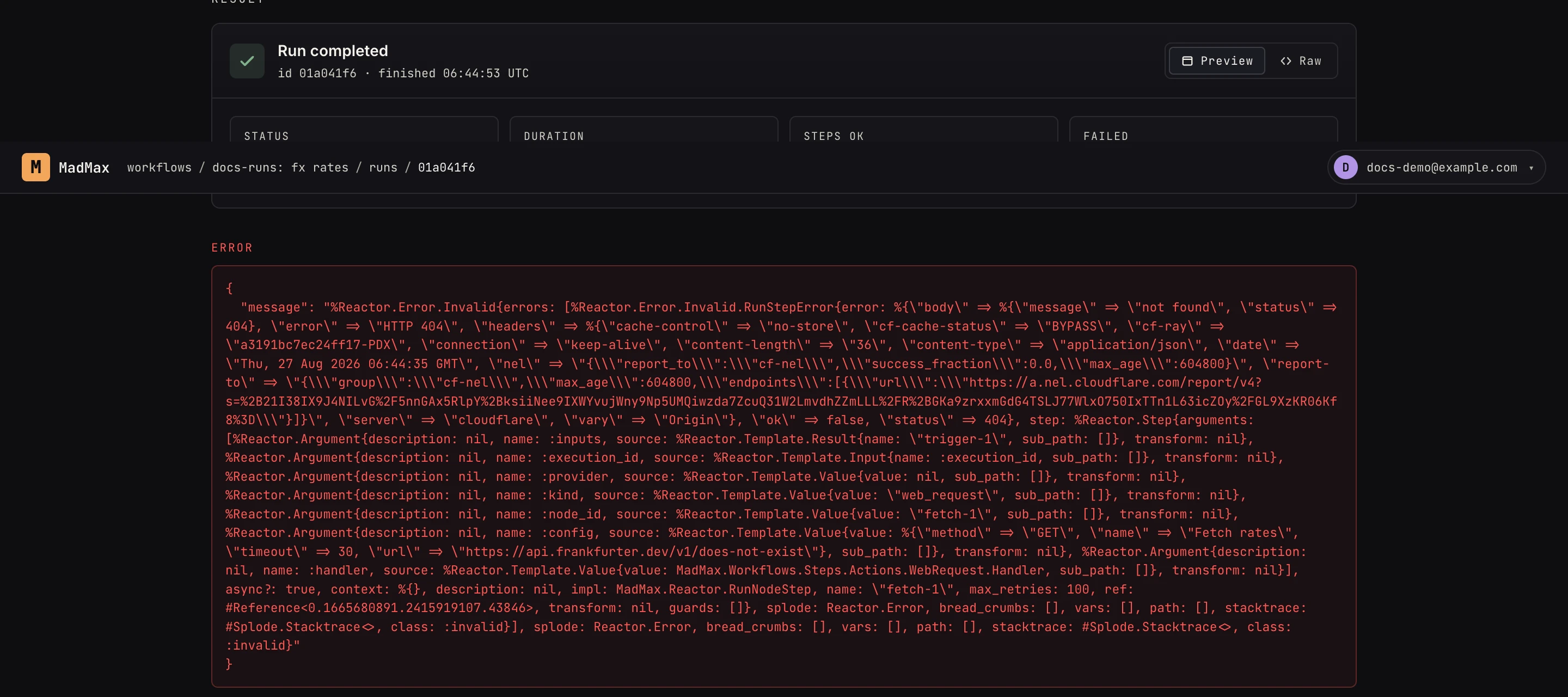 The step timeline: expand a step to see what it received and produced.
Loop steps get their own view: an iteration heatmap (one cell per pass; click one to jump to it), success/failure counts, and per-iteration step accordions. Long loops show the most recent 50 iterations.
This is the fastest way to answer "why did my message come out empty": find the step where the data went wrong and check what it actually received.
Asking Max
The canvas chat can read recent runs, so "why did the last run fail?" works. Max pulls the failing step's input/output and explains, or fixes the config and re-verifies.
Cancelling
A pending, running, or waiting run can be cancelled from the
run detail. The row flips to cancelled and the underlying job
stops. There is no re-run button; fire the trigger again (or use
the run's trigger inputs as a test fixture on the canvas).
The workflows index
The health strip on Workflows is the at-a-glance version: runs and failures over the last 7 days, plus needs attention, the count of workflows whose latest run failed.