Watch
Poll a connected app's list operation on a cron and run the workflow once per new item. Covers the dedup key, the first-poll baseline, and the payload.
Watch is schedule + memory: it polls a connected app's list operation and fires once per new item. It is the "new GitHub tag", "new Airtable row", "new anything" trigger.
When it runs
On the cron, the poll runs; each item not seen before (by your unique field) fires one workflow run with that item as the payload. The first poll establishes a baseline: it marks existing items seen without firing, so connecting a source with 500 historical rows doesn't unleash 500 runs.
The poll is registered when you activate the workflow and removed when you deactivate it; an inactive workflow never polls. Each tick reads the step's config from the active snapshot, so editing the canvas changes nothing until you activate again. The platform remembers the most recent 500 keys per watch step, which is the window inside which an item counts as already seen.
Config
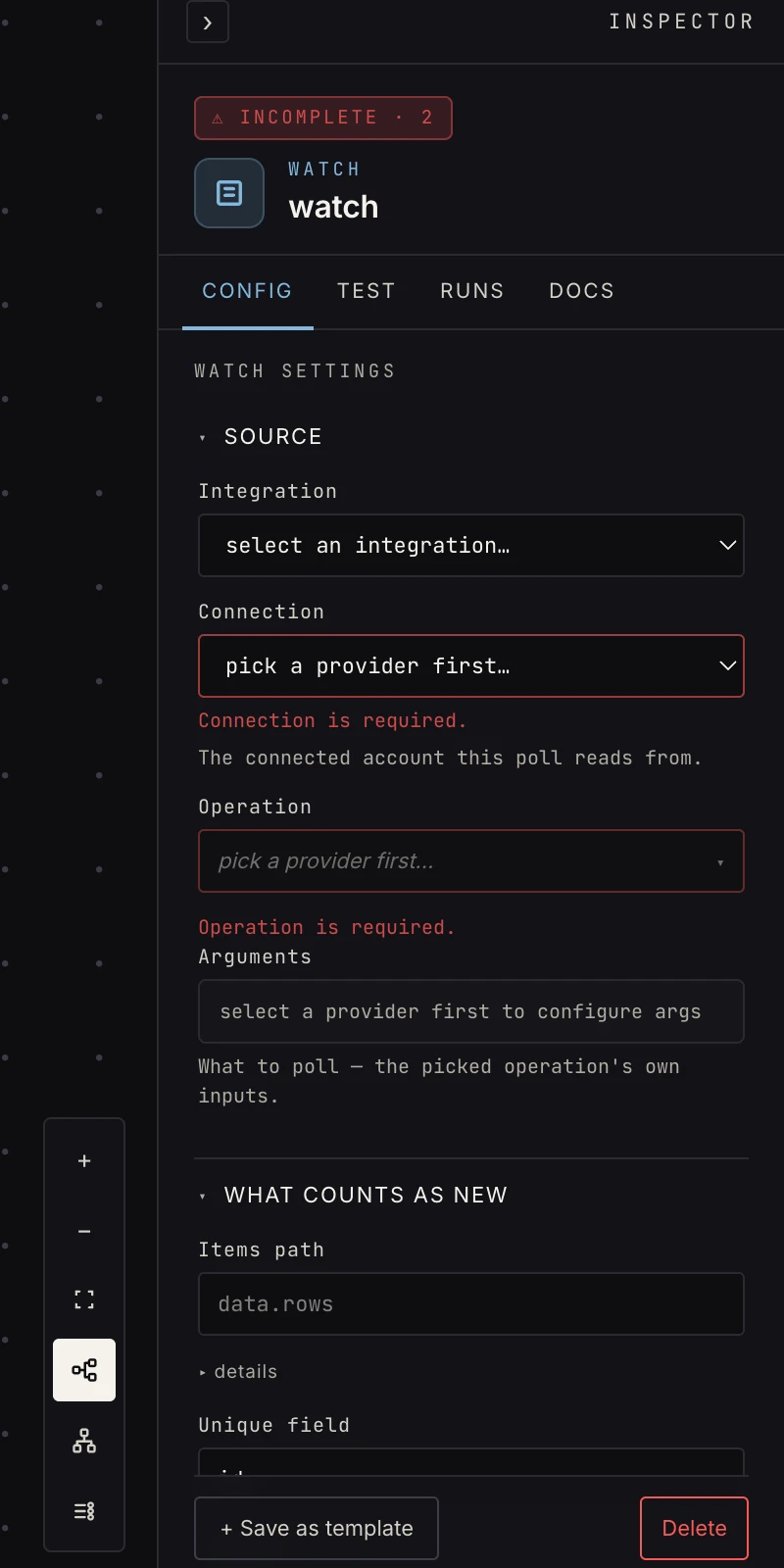 A connected app, one of its list operations, the dedup key, and a cron.
- Integration, Connection, Operation: pick a provider, one of its connected accounts, and one of that provider's list/search operations (something that returns a list, not a mutation). The pickers only offer what the provider's manifest declares.
- Arguments: the operation's own inputs (owner/repo, base id, …), rendered as the same form the integration step uses.
- Items path: leave blank. The platform finds the list inside
the response itself; set a dot-path like
data.rowsonly when a response nests several lists and it picks the wrong one. - Unique field: the field that uniquely identifies an item
(
namefor tags,idfor rows). This is what "new" means. Defaultid. - Poll schedule: a cron expression, evaluated in UTC. Default every 15 minutes.
Output
The new item itself, flat, exactly as the provider returned it. A GitHub tag fires
{ "name": "v2.1.0",
  "commit": { "sha": "a1b2c3", "url": "https://…" },
  "zipball_url": "https://…" }
so the next step references {{ payload.name }} and
{{ payload.commit.sha }}. There is no wrapper and no envelope.
If an operation returns a list of plain strings instead of
objects, each one fires as { "item": "…" } so the payload stays
a map.
Press Run on the canvas (or Run step in the Inspector) and the trigger captures the single most recent real item from the connected account to use as its sample, so downstream steps verify against actual provider data. A watch with no connection or operation bound can't capture and says so instead of passing an empty sample along.
Patterns
- Dependency watcher: watch a repo's tags → open a bump PR per new release.
- Row processor: watch a table → enrich/notify per new record.
- Inbox triage: watch a mailbox search → AI classify → switch per label. See the email guide for when a native email trigger is the better fit.
- Cross-post: watch one feed, set fields into the target's shape, post to the other app.
Gotchas
- List order isn't newest-first on every API (GitHub tags famously aren't), so treat "the new item" as an item, not the latest; compare versions explicitly when order matters.
- An on-demand run (the run button) processes the most recent item for testing. The cron remains the real driver.
- The unique field must actually be unique and stable. Polling on a field that changes between polls (an updated-at timestamp) fires the same record again and again.
- Each new item is its own run, so 40 new rows in one tick are 40 runs, each counted and each queued under the workspace's concurrency limit.
- The memory is the 500 most recent keys per step. If the list operation keeps returning an item after it has fallen out of that window, it fires again. Prefer operations that return a bounded recent page rather than the whole history.
Related
- Schedule for a cron without the memory.
- Webhook when the app can push instead of being polled.
- Connections for linking the account to poll.