Run code
Write an arrow function over the incoming payload; its return value becomes the output. The WebAssembly sandbox limits (no network, 64 MB, 5 seconds).
A sandboxed JavaScript function over the incoming payload, the escape hatch when set fields and reshape run out of road.
What it does
The step serializes the upstream payload to JSON, starts a fresh JavaScript runtime inside a WebAssembly sandbox, parses the JSON back into an object, calls your function with it, and serializes whatever you return. Every run starts from a blank runtime: no state survives between runs or between iterations of a loop, and nothing you define leaks into other steps.
The runtime is QuickJS compiled to WebAssembly, a small
standards-compliant engine. Modern syntax (arrow functions, spread,
destructuring, optional chaining, template literals,
Array.prototype methods, JSON, Math) works. The sandbox has
no host capabilities at all, so there is no fetch, no require
or import, and no DOM.
Config
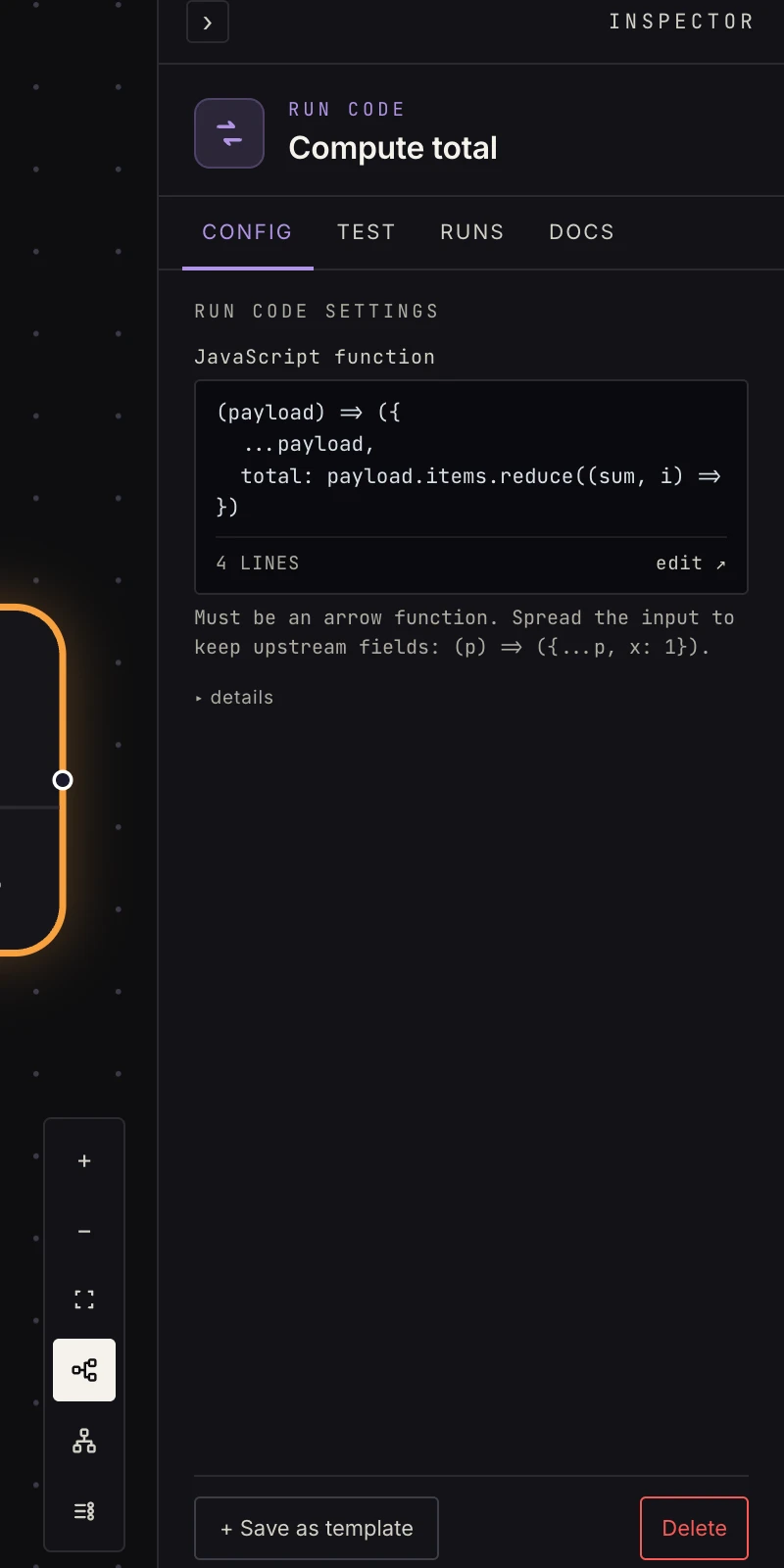 One field: an arrow function. The editor validates it with the same parser the runtime uses.
- JavaScript function: the source. It must be an arrow function; its argument is the immediate upstream step's output, and its return value becomes this step's output. The editor opens full-screen for longer transforms.
(payload) => ({
  ...payload,
  total: payload.items.reduce((sum, i) => sum + i.price, 0),
})
Spread the input (...payload) to carry upstream fields forward;
returning a fresh object drops everything you don't include. The
return value must be JSON-serializable (typically an object).
A few helpers are predefined because models and people keep
reaching for them: console.log / info / warn / error
(captured, see below), atob and btoa, UTF-8-safe b64decode
and b64encode for file contents from APIs, and semverCompare(a, b)
plus isNewerVersion(candidate, current) for release tags.
The sandbox
The function runs in a WebAssembly sandbox: no filesystem, no network, 64 MB of memory, and a 5-second budget (an instruction budget large enough for payloads of a few megabytes). It's a pure transform. For HTTP use web request; for messaging and storage use the dedicated steps.
The editor validates the code with the same parser the runtime uses, so anything that would fail at run time fails in the Inspector first. A syntax error also blocks activation.
Output
Whatever the function returns, as the next step's payload. Given
{ "items": [ { "price": 5 }, { "price": 7 } ], "order_id": "o_1" }
the function above emits
{ "items": [ { "price": 5 }, { "price": 7 } ],
  "order_id": "o_1",
  "total": 12 }
and the next step reads {{ payload.total }}. Two normalizations
keep the payload a map: returning undefined (or nothing) yields
{}, and returning a bare value such as a string, number or array
wraps it as { "value": … }, so a function that returns a list is
read downstream as payload["value"].
console.* calls don't print anywhere; they're collected, stored
with the step's execution as log lines, and streamed to the canvas
log drawer while you test. A thrown
error fails the step, with the error's message as the failure
reason, which makes throw new Error("3 rows missing a price") a
reasonable guard.
Patterns
- Computed fields: totals, percentages, date math the declarative steps can't express.
- Odd formats: split a CSV string, parse a weird timestamp, build a composite key.
- Multi-field restructure: one function instead of a chain of set-fields rows.
- Validation gate: check required fields and throw when they're missing, so the run fails here with a clear message instead of three steps later with a confusing one.
Gotchas
payloadis the immediate upstream output only; there's no reaching back to earlier steps from code. Pull earlier values forward with set fields first.- Handle list inputs with 2+ items, because code that assumes
payload.items[0]is the only item breaks on real data. - Return a plain object. Functions,
undefined, and class instances don't survive JSON serialization. - Very large inputs cost instructions just to parse. If a step trips the budget on a multi-megabyte payload, trim upstream (paginate the request, or reshape to the fields you need) rather than optimizing the function.
Related
- Set fields for the no-code version of most transforms.
- Reshape for list filtering, sorting and deduping.
- Extract HTML, because the sandbox has no HTML parser.