Summarize
Condense input to the essentials at short, medium, or long length. Where the summary lands in the payload, digest patterns, and when a prompt fits better.
Condense the input to the essentials. Summarize is text-in, prose-out, the standard last step before a send email or send text.
What it does
Summarize is the AI Agent step with its Task set to
summarize. You don't write a prompt. The step synthesizes one
from your settings ("Summarize the input to the essentials", the
length rule, your extra instructions, then the input) and runs it
through the same agent pipeline a custom prompt
uses. The model is the platform model unless you bind a Provider
(see AI settings).
The step always runs in text mode. There is no output schema, so the model's prose is the result. That is deliberate: a summary is the end of a chain, not a source of fields.
Config
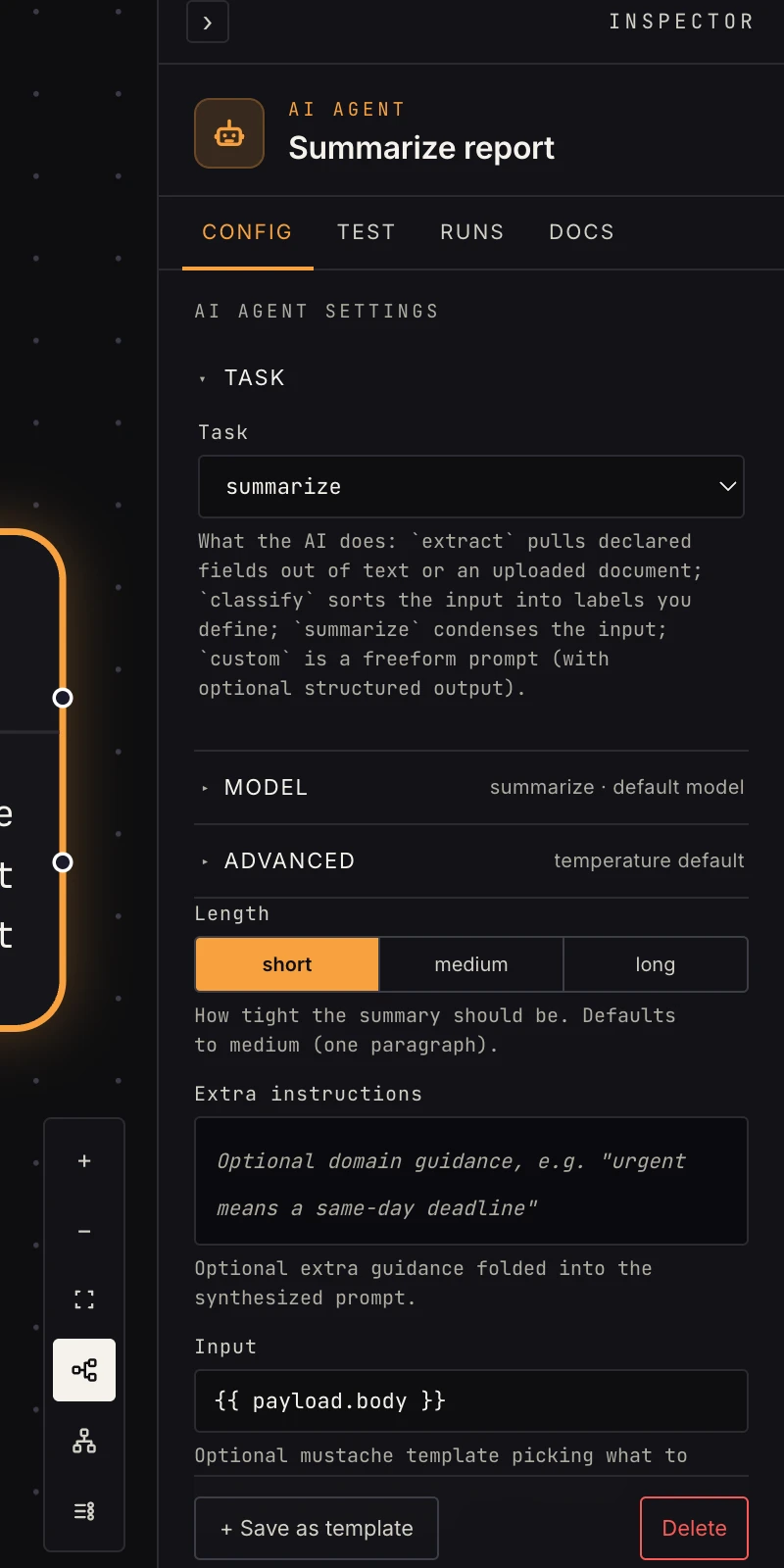 Length, and optionally what to read and extra guidance.
- Task:
summarize. Switching it changes the fields below. - Length:
short(one or two sentences),medium(one tight paragraph, the default when unset),long(a few paragraphs when the input warrants it). - Input: optional mustache template picking what to read, for
example
{{ payload.body.text }}. Blank reads the whole upstream payload, JSON-encoded. - Extra instructions: optional guidance folded into the prompt, "bullet points, lead with any deadline".
- Provider and Model: empty runs on the platform model. Bind an AI connection to use your own key; the Model field is honored only with a connection.
- Temperature (Advanced): 0 to 1. Blank leaves the provider default; unlike classify, summarize does not pin it.
- On failure (Advanced):
fail(default) stops the run,retryre-runs the step (0 to 5 retries with a backoff), andcontinueroutes an{ok: false, error}payload out theerrorport so the workflow survives.
Output
Text mode: the summary lands at payload.text:
{
  "ok": true,
  "text": "Three customers reported checkout failures…",
  "raw": "Three customers reported checkout failures…",
  "usage": { "input_tokens": 812, "output_tokens": 96, "total_tokens": 908 },
  "error": null
}
Downstream references {{ payload.text }}. raw is the same
string, usage carries token counts, and error is null on
success. There are no named fields to pluck, and the build-time
linter treats this step as prose: a later step that references
payload.data.something from a summarize step is flagged.
Patterns
- Digest pipeline: schedule or watch gathers items, reshape aggregates them, summarize condenses the lot, send email delivers it.
- Long-thing-to-short-thing: a webhook delivers a full document; summarize before posting to chat.
- Per-item summaries: inside a loop, set
Input to
{{ payload.item.body }}so each iteration summarizes one record.
Gotchas
- Summarize is terminal-shaped: downstream steps can only reference
the one
payload.textstring. If a later step needs fields (a title AND a body), use a custom prompt with a schema instead. - Point Input at the actual content when the payload carries metadata too. A blank Input serializes the whole upstream map, headers and all, and the model spends attention on plumbing.
- Length is a steer, not a cap. A
shortsummary of a long input is still a sentence or two, but the model decides where the line falls. Add an instruction if you need a hard shape such as "three bullets". - The step fails the run on an API error by default. Set On failure
to
continueand wire theerrorport when a digest should still send with a fallback line.
Related
- Classify: pick one label instead of prose.
- Extract: pull declared fields out.
- Custom prompt: your own prompt and schema.
- AI settings & models: the platform model and BYO providers.