Approval
Pause the run until a human decides with Approve and Reject buttons in Slack, one-click email links, SMS replies, or in-app. The decision output and ports.
Pause the run until a human decides. The workflow resumes down the approved or rejected port with the decision recorded. It's the human-in-the-loop primitive for anything with consequences.
Config
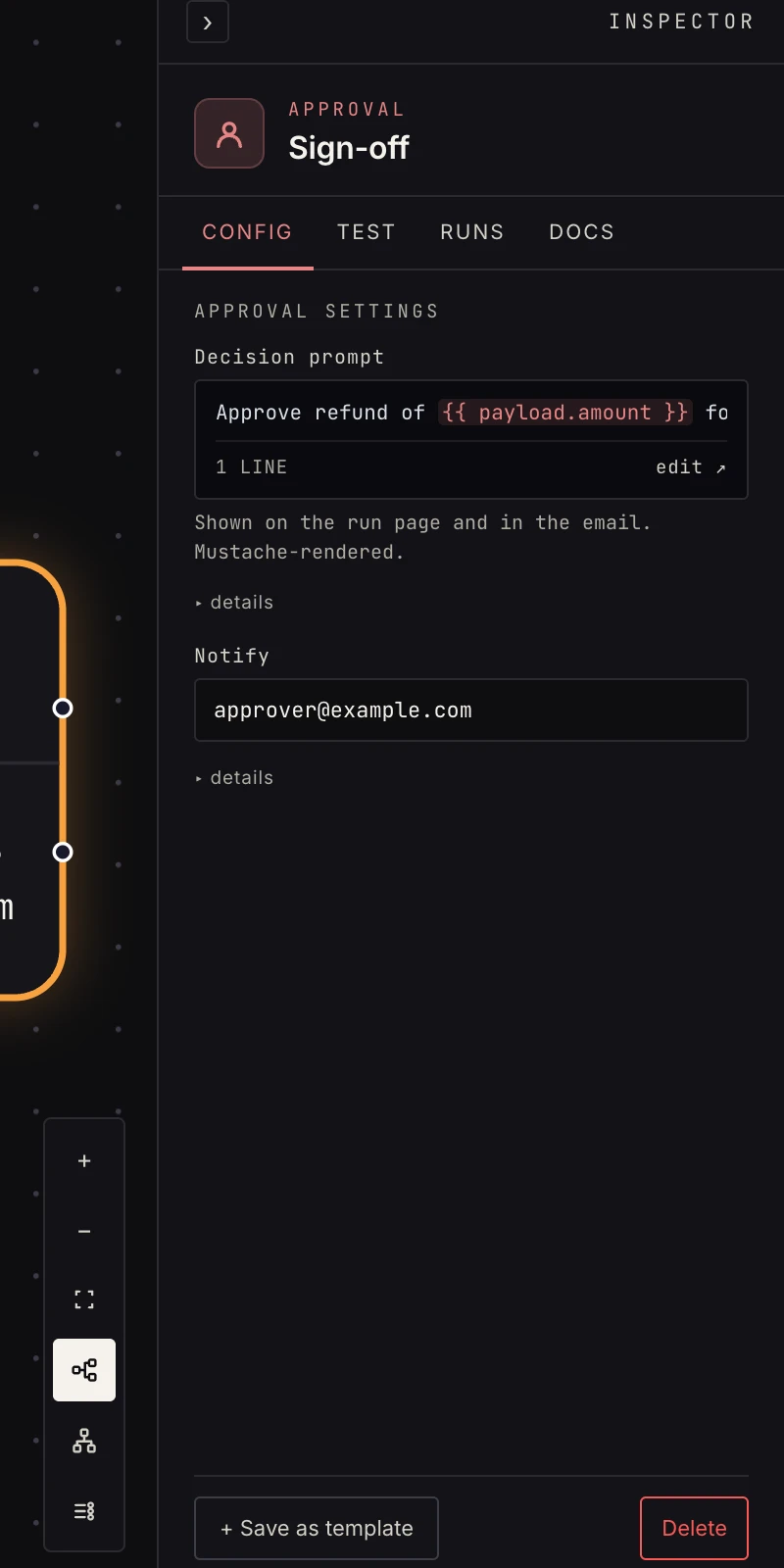 The decision prompt, and optionally who to email about it.
- Decision prompt: what the approver sees, template-rendered:
Approve refund of {{ payload.amount }} for {{ payload.email }}? - Slack connection + channel: post the prompt to Slack as a message with Approve / Reject buttons. A click decides, and the message rewrites itself to "Approved by @who" so the channel keeps the audit trail and nobody can click twice. Deciders never leave Slack.
- Approvers: comma-separated Slack user ids or account emails. Each approver gets a direct message with the same buttons the moment the run pauses. Use it instead of (or alongside) the channel post when the decision belongs to specific people.
- Channel + Approvers: the provider-agnostic form, pick
slack,email, ortext, list the approvers (member ids or emails, addresses, or workspace-verified phone numbers), and each gets the prompt through that channel. Text approvers decide by replying YES or NO to the platform number. - Notify: an email address. The moment the run pauses, it gets the prompt with signed one-click Approve / Reject links (valid 7 days, no sign-in needed).
Every approval can also be decided in-app from the run's page (Runs → the waiting run → Approve / Reject) by any workspace member, so a step with no Slack or email configured is still decidable.
Output
{ "decision": "approved",
  "decided_at": "2026-08-26T14:00:00Z",
  "metadata": { "via": "email_link" } }
Note the payload is replaced by the decision record, so carry forward anything downstream needs with set fields before the approval, or reference earlier steps by id.
Patterns
- Spend gate: if routes orders over $1,000 through approval; the rest skip it.
- Content review: AI drafts a reply, a human approves it, then the send fires.
Gotchas
- Wire both ports. An unwired rejected branch means a rejection just ends the run silently, and usually you want at least a notification.
- The run stays paused until someone decides, so write a prompt with enough context to decide from Slack or an inbox without opening MadMax.