Connecting your accounts
Connect by OAuth or API key from Settings or a step's picker, install the Slack app in four steps, set private or shared visibility, and how the AI picks.
Connected-app steps and BYO-key AI need a connection, a stored credential MadMax uses on your behalf. There are two ways in, and they end in the same place.
Install the Slack app
MadMax's Slack app posts messages and threaded replies, adds emoji reactions, runs one-click approvals from Slack buttons, and can trigger a workflow from a message, an @-mention or an emoji reaction. Installing it takes about a minute:
- Sign in or create a MadMax account. It's a magic link, no password.
- Open Settings → connectors and click Connect on the Slack card.
- Slack asks which workspace to add MadMax to and shows the permissions it needs. Click Allow.
- You're back in Settings with Slack showing connected. The Slack step (post a message, reply in a thread, add a reaction) and the message / @-mention / reaction triggers are now available on the canvas, and the AI wires the connection in for you when you ask for anything Slack-related.
Optionally set a default channel on the connection so steps that don't name one post there. To remove the app, click disconnect on the same card, and see Managing connections for what happens to workflows that use it.
From Settings
Settings → connectors is the gallery: every provider as a card, filterable by connected / available / coming soon. Click one to connect:
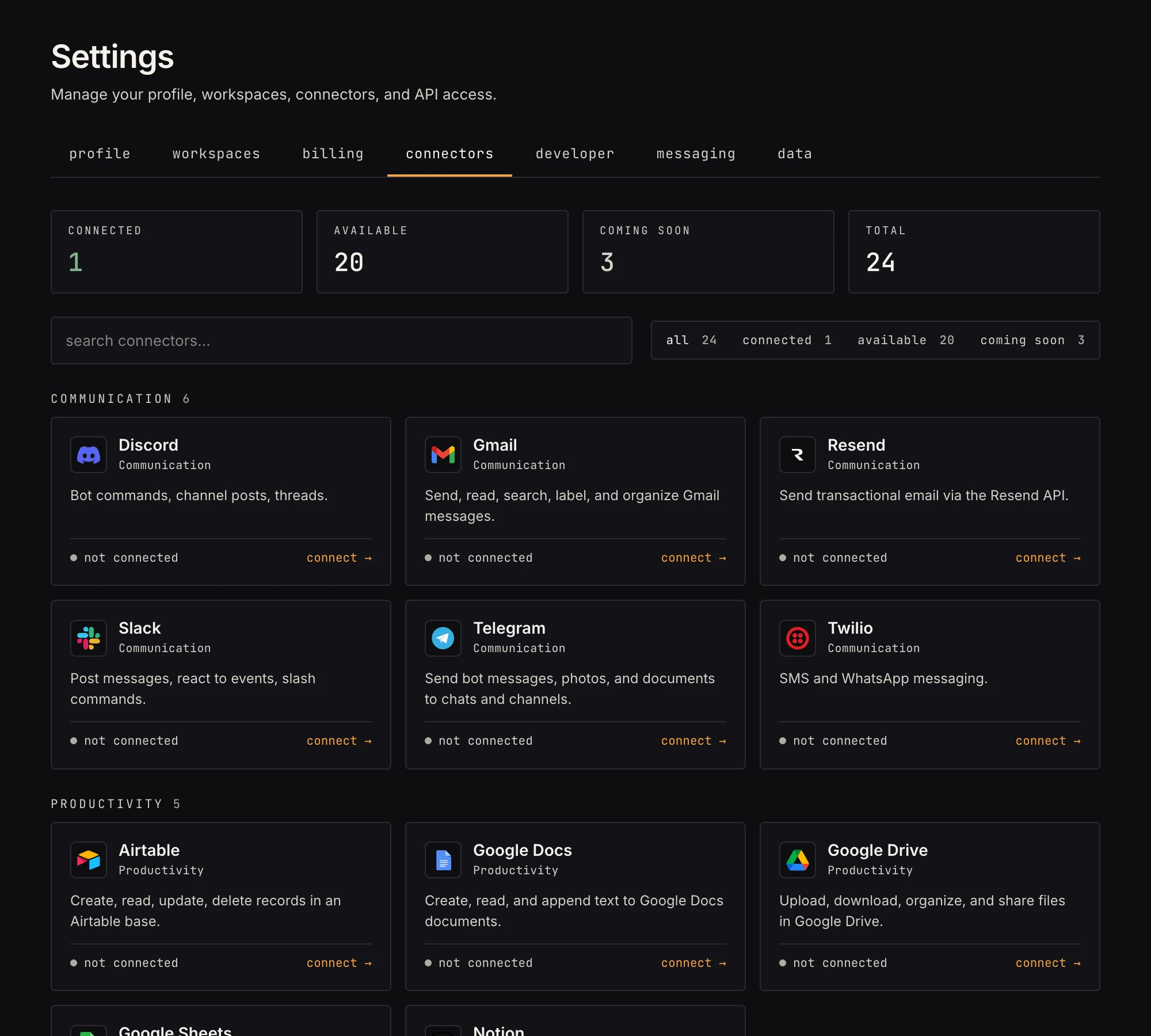 Connected cards show the connection label and age; "coming soon" cards aren't wired yet.
- OAuth providers (Slack, GitHub, Google, …) have one button: Connect with MadMax. The provider's own consent screen opens in a popup; you never paste a token, and MadMax stores only the grant it's given.
- API-key providers get a short form: an optional label ("Production OpenAI"), the key field(s), and which workspace owns it.
- Self-hosted providers (Gitea): the form asks for your instance's host first. Then either register an OAuth app on your instance and paste its client id and secret to authorize, or paste an access token directly; both are stored encrypted.
From the canvas
Every step with a connection field has + Add new at the bottom of its picker. It's the same connect flow in a modal, without leaving the canvas. When the step already knows its provider, you go straight to that provider's form.
Private or shared
Every connection has a visibility pill:
- private (the default): only you can see and use it.
- shared: any member of the workspace can bind it in their steps.
Click the pill to flip it. Secrets are never shown either way; sharing shares the ability to use, not the credential itself.
Which connection does the AI pick?
When Max builds a workflow that needs a provider, the rule is mechanical and deliberately conservative:
- 0 matching connections: the build pauses with a needs a connection card; you connect, it continues.
- exactly 1: auto-wired, and the card notes which one it used.
- 2 or more: Max never guesses. You get a "which account should max use?" choice per step.
A connection's own settings are applied at auto-wire time, so a Slack connection's Default channel fills any step Max wires to it without naming a channel.