AI memory
Bind a memory to an agent step and each run gets a window of recent turns, a rolling summary, and recall of relevant earlier turns. Plus session keys.
Give an AI agent step a memory and it remembers prior exchanges across runs. That's the difference between a stateless responder and something that can say "same issue as yesterday's ticket."
How it works
Create a memory in Settings → data → memory, then bind it on the agent step. Each run, the agent gets three layers of history:
- Recall: the few earlier turns most relevant to what's being asked right now, found by meaning and keywords from beyond the window (default 3, configurable; can be turned off),
- a rolling summary of everything older than the window,
- the window: the most recent turns verbatim (default 10, configurable 1–100).
It answers with all three in context, then the new exchange is appended to the memory.
Recall scope
A memory usually holds many conversations (one per session key, such as a caller, a chat, or a thread). Same session (the default) recalls only from the conversation the run belongs to, so one customer's history never surfaces in another's. Every session recalls across the whole memory, one shared brain for an internal assistant that should remember what anyone told it, in any channel.
Sessions
The agent step's session key template decides which
conversation a run belongs to: {{ payload.chat_id }} gives every
chat its own history; {{ payload.from }} gives every sender one;
a blank key means one shared conversation.
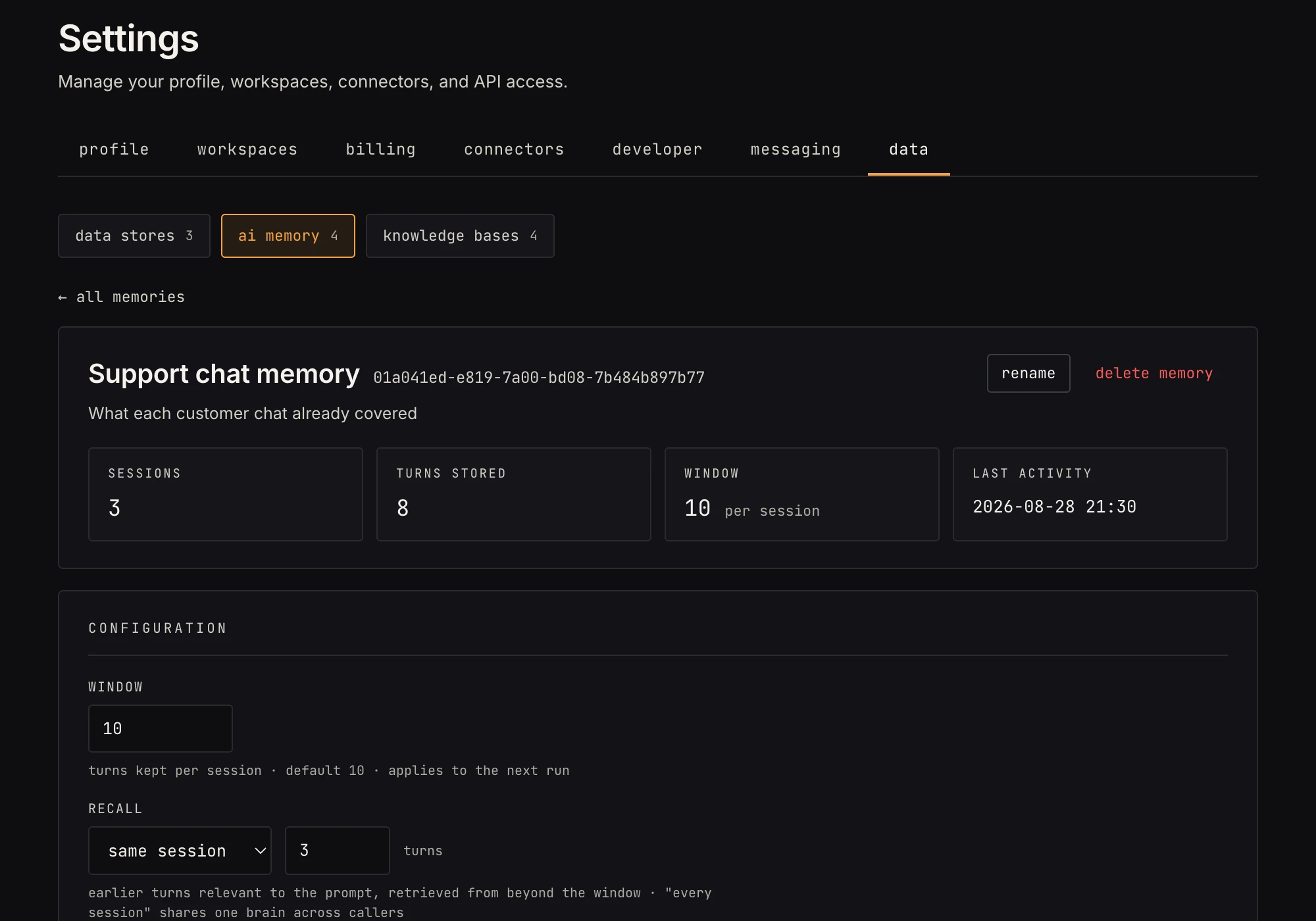 Sessions, turns stored, and the configuration card: window size and recall (scope + how many turns).
Managing it
The memory's page in Settings lists sessions newest-first; click one for the full transcript. You can clear a single session or the whole memory, and the flash tells you how many turns went. The Configuration card sets the window and recall. Contents are encrypted at rest.
Gotchas
- With memory bound, the agent answers in text mode
(
payload.text). Memory and structured output don't combine on one step. - The window is what the model sees verbatim; keep it modest, because every windowed turn is prompt tokens on every run. Older context reaches the model through the summary and recall instead, at a fixed cost.
- Recall matches on relevance, not time. "What did I say about the invoice?" works; "what did I say two hours ago?" doesn't.
- Memory is for conversation. For facts and records, a store is cheaper, queryable, and doesn't expire out of a window.