Webhook
Get a unique URL external systems POST to, authenticated by bearer token or HMAC. Covers the payload.body envelope, response modes, and Slack app events.
The workhorse trigger: MadMax mints a unique URL, an external system POSTs JSON to it, the workflow runs.
When it runs
On every authenticated request to the trigger URL (shown in the Inspector once the step exists). Requests authenticate with the step's bearer token (or HMAC signing; pick in the Inspector). Rotate from there if a secret leaks. The workflow must be active for the URL to fire.
Config
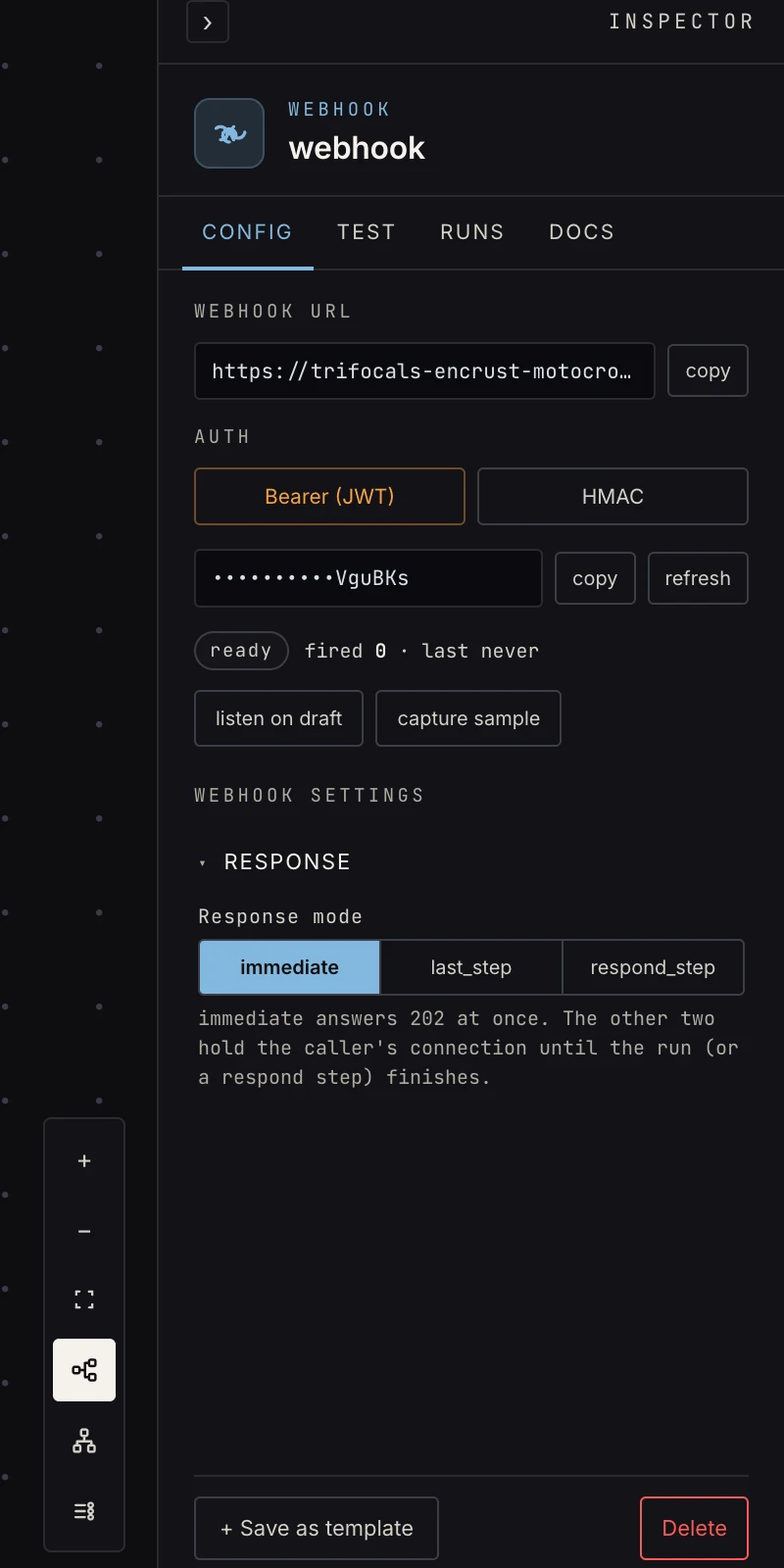 Response mode, and the live URL + token.
- Response mode: what the caller gets back.
immediate: answers 202 at once; the run continues in the background. The default.last_step: the response waits for the run and returns the final step's output (with a poll interval + timeout).respond_step: a respond to webhook step somewhere in the graph crafts the response explicitly. This is the way to build synchronous APIs.
Output
The envelope, the single most important shape in MadMax:
{
  "body":    { …the caller's parsed JSON… },
  "headers": { …request headers… },
  "query":   { …query-string params… }
}
The caller's data is under payload.body.*, never top-level:
{{ payload.body.order_id }}, and in code steps p.body.order_id.
Referencing payload.order_id is the classic first webhook bug.
The build-time linter flags it, but know why.
Patterns
- Receive → validate → route: a code step checks required fields, an if gates invalid payloads out.
- Synchronous API: respond_step mode + a respond-to-webhook step returning computed JSON.
- Testing: the Inspector's Test tab opens a sample window; curl the URL and the real request becomes the step's pinned sample.
App events (no URL)
The webhook step has a second Source: App event. Pick a connected app (Slack today) and the workflow starts from that app's own events instead of an HTTP call.
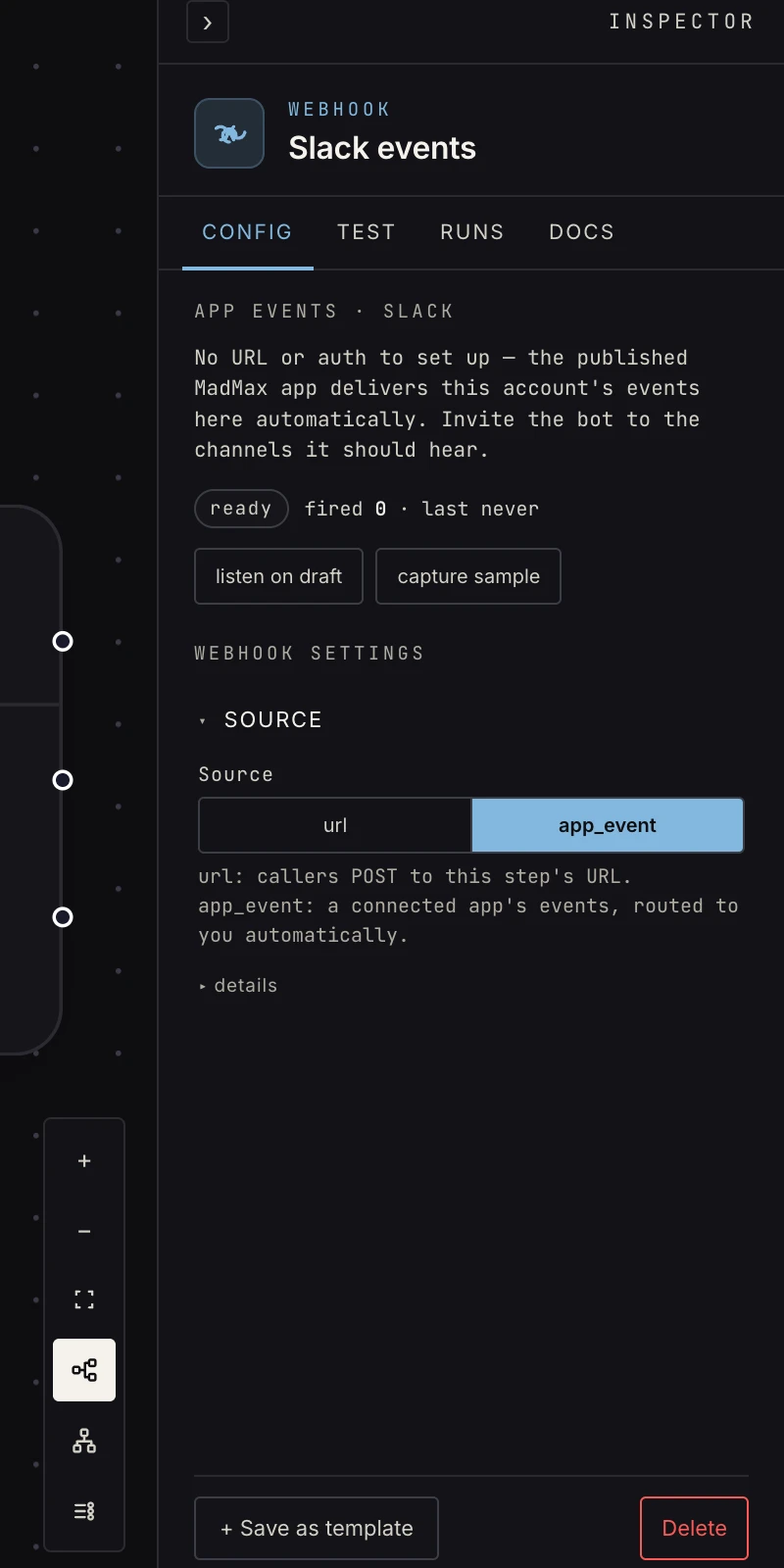 Source → App event → Slack. The URL, auth, and response fields disappear; there's nothing to configure.
How it works: MadMax's published Slack app delivers every event for your Slack workspace to the platform, and it's routed to your MadMax workspace by the account it belongs to. Connect Slack in Settings, invite the bot to the channels it should hear, and you're live. No URLs, no secrets, no dashboard setup on your side.
The workflow receives every event the app delivers: messages,
@-mentions, emoji reactions, DMs. Narrow downstream with a
switch on payload.event_type or an
AI classify:
{ "event_type": "app_mention",
  "text": "<@U0BOT> is google workspace down?",
  "user": "U2147483697",
  "channel": "C0123ABCDEF",
  "channel_type": "channel",
  "ts": "1749600000.000200",
  "thread_ts": "1749600000.000200",
  "team_id": "T0123ABCDEF",
  "mentioned": true,
  "raw": { "…": "the full Slack event" } }
Reply in-thread by passing payload.thread_ts to the Slack send
step. Two guarantees the platform enforces before anything runs:
the bot's own posts (and other bots) never start a run, and an
@-mention, which Slack delivers twice, arrives once.
Testing is capture-real: press Run, then @-mention the bot in Slack; that real event both runs the draft and pins the step's sample.
Gotchas
- Inactive workflow → the URL answers but doesn't fire. Activate first.
- Non-JSON bodies arrive best-effort; JSON is the contract.