Classify
Define the labels and the model picks exactly one, so a switch can route on it. The label and reasoning output, triage patterns, and the escape label.
Define the labels; the model picks exactly one. Classify is the standard front door to a branch: AI decides the category, the switch routes on it.
What it does
Classify is the AI Agent step with its Task set to classify.
You never write the prompt or the schema. The step synthesizes
both: a prompt that lists your labels, folds in your extra
instructions, and ends with the input; and a JSON schema whose
label property is an enum of exactly those labels, plus an
optional reasoning string. It then runs the normal structured
agent pipeline, so the provider enforces the enum. The model
cannot answer with a category you didn't list, which is what makes
the output safe to branch on.
Two defaults are set for you: temperature is pinned to 0 unless
you set your own (classification is a lookup, not prose), and the
output is always structured.
Config
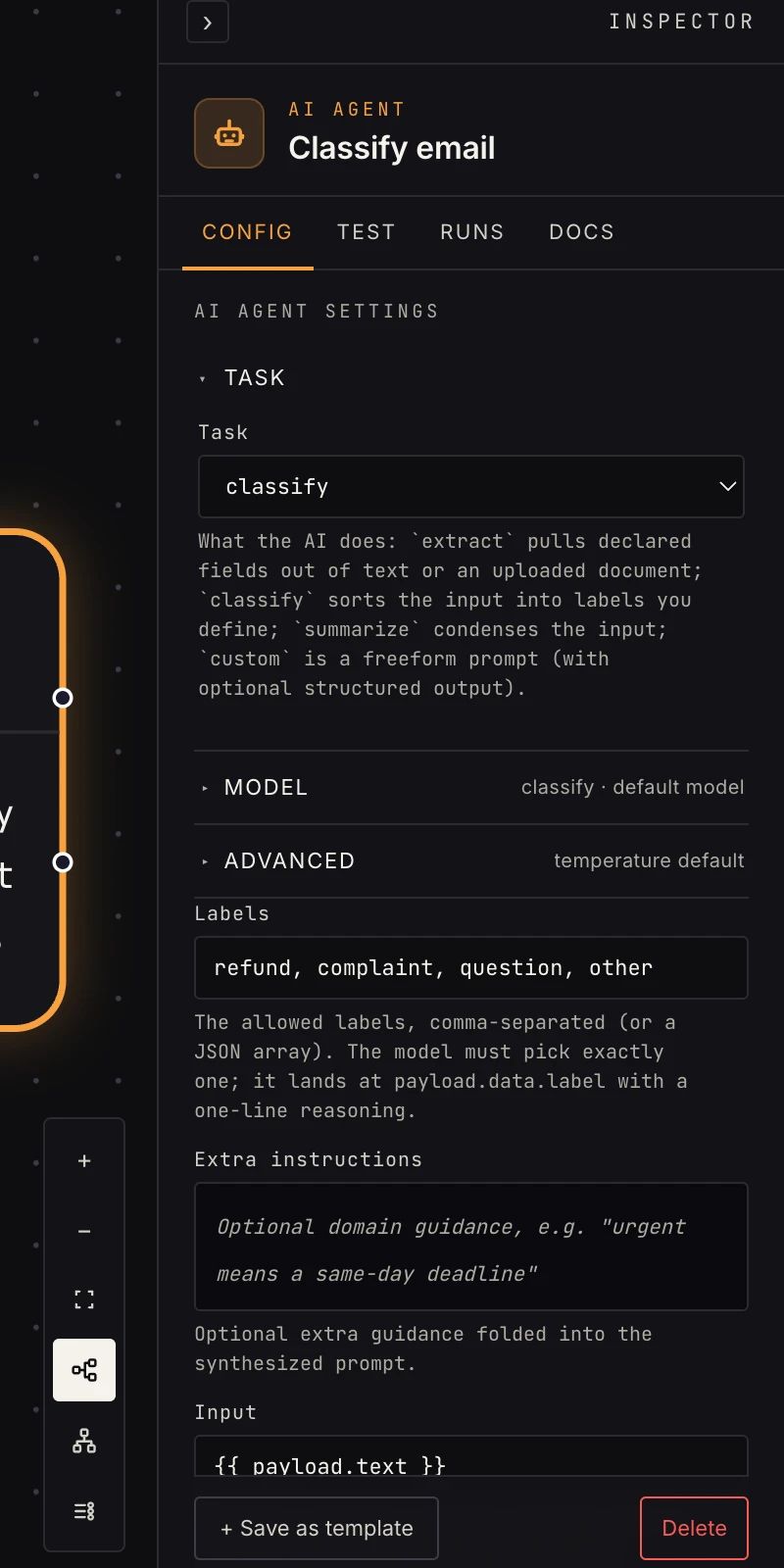 Labels, and optionally what to read and extra guidance.
- Task:
classify. - Labels (required): comma-separated (
refund, complaint, question, other) or a JSON array. Labels are trimmed, blanks are dropped, and duplicates are removed. A step with no usable label fails at run time with "classify needs at least one label". - Input: optional mustache template picking what to read
(
{{ payload.text }}). Blank reads the whole upstream payload, JSON-encoded. - Extra instructions: optional domain guidance, e.g. "urgent means a same-day deadline".
- Provider and Model: empty runs on the platform model. Bind an AI connection for your own key; Model is honored only with a connection (AI settings).
- Temperature (Advanced): leave blank for the pinned
0. - On failure (Advanced):
fail(default),retry,continue, orretry_then_continue;continuesends an{ok: false, error}payload out theerrorport.
Output
Structured, always the same two fields under data:
{
  "ok": true,
  "data": {
    "label": "refund",
    "reasoning": "Asks for money back on order #2041."
  },
  "raw": "{\"label\":\"refund\",\"reasoning\":\"Asks for money back…\"}",
  "usage": { "input_tokens": 410, "output_tokens": 22, "total_tokens": 432 },
  "error": null
}
Branch on {{ payload.data.label }}. label is required in the
schema and always one of your labels; reasoning is a one-sentence
why, worth logging or showing in an approval. The linter counts a
classify step as structured, so downstream references to
payload.data.label resolve at build time.
Patterns
- Ticket triage: classify (
urgent, routine, spam) → switch on the label → an escalation path per case. - Lead routing: classify inbound email by product line → notify the right channel.
- Slack app events: a webhook in app-event
mode delivers every message; classify
question, request, noisebefore an agent spends tokens answering. - Two-stage: classify first, then a custom prompt per branch with a schema tuned to that category.
Gotchas
- Always include an escape label (
other,unknown). Without one, the model is forced to shoehorn genuinely unclassifiable input into your real categories. - Wire every label to a switch case (or its default port), because an unwired label is a run that stops there.
- Keep labels distinct.
complaintandissueoverlap, and the reasoning field will show the model flipping between them. - Point Input at the content, not the envelope. Classifying a webhook by its headers is how a renamed sender breaks routing.
- Match case exactly in the switch: the label comes back as you wrote it.
Related
- Switch: route on the label.
- Extract: when you need values, not a category.
- Summarize: prose instead of a label.
- Custom prompt: several labels in one answer, with your own schema.