ai-native orchestration · durable workflows
The AI control plane for every automation.
support-triage · active
● running
MadMax turns a prompt into a working automation. The AI drafts a plan, builds it out with you step by step, and lays the whole thing on a canvas you can actually read. No flowchart busywork, no glue code.
The prompt you type into Max.
Review every pull request against the whole codebase. Leave inline comments with fixes, put a confidence score in the description, and answer when someone @mentions the bot in a thread.
The steps Max adds to the canvas, in order.
The log from one real run.
Tell Max what you want in a sentence. It asks the questions a sharp ops hire would, then proposes the workflow, one block at a time.
Every block Max adds is tested on your actual inputs before you trust it. You approve what works, not a guess on a diagram.
Activate pins a version to production and every execution streams live, step by step. Edit on the canvas anytime, roll back whenever.
AI agents with tools, memory and knowledge. Routers that send each input where it belongs. Loops, merges, sub-workflows and human gates between them. Every hand-off a declared shape, every run proven on real data before it goes live: the part agent frameworks leave to you.
A prompt with structured output and tools: web search, a browser, code, other workflows. Give it memory and a knowledge base when the job needs them.
If, switch and classify send each input down the branch its content deserves: a rule, a case list, or an AI label.
Run a body per item or until a condition holds, then fan the branches back into one payload the next agent can read.
Call another workflow as a function and continue with its result: a specialist you compose, reuse and verify once.
Nothing irreversible without a person. The orchestration pauses, someone signs in-app or by email, it resumes.
Declared output shapes, a lint that catches a reference to a field that will not exist, and a test run of every step before activation.
Every workflow is assembled from a handful of building blocks. Work with AI to compose, place and verify every step of the way.
Where work begins: a schedule, a webhook, an email, a text, or a form. The event that kicks everything off.
An AI step reads the input: extract fields, classify, summarize, or run a custom prompt on messy data.
Reshape the data: filter, sort, dedupe or aggregate it into exactly the shape the next step needs.
Choose a path: branch on a condition, switch between cases, or loop over a list. The logic sits on the canvas.
Pause for a person: wait for a human to approve or reject before anything irreversible happens, by email or in-app.
Do it, then report back: write to your systems, send the message or the email, then confirm it's done.
18 native integrations, plus HTTP and webhooks for everything else. Bring your own AI models: Anthropic, OpenAI, Gemini, OpenRouter.
 Slack
Slack
 Gmail
Gmail
 Notion
 Airtable
 Google Sheets
 Linear
 GitHub
 Gitea
Gitea
 Stripe
 Postgres
 Anthropic
 OpenRouter
Slack
Gmail
Notion
Airtable
Google Sheets
Linear
GitHub
Gitea
Stripe
Postgres
Anthropic
OpenRouter
OpenRouter
Slack
Gmail
Notion
Airtable
Google Sheets
Linear
GitHub
Gitea
Stripe
Postgres
Anthropic
OpenRouter
 Discord
 Telegram
 Twilio
 Resend
 Supabase
 Snowflake
 Google Docs
 Google Drive
 OpenAI
 Google Gemini
Discord
Telegram
Twilio
Resend
Supabase
Snowflake
Google Docs
Google Drive
OpenAI
Google Gemini
Google Gemini
Discord
Telegram
Twilio
Resend
Supabase
Snowflake
Google Docs
Google Drive
OpenAI
Google Gemini
The AI builds the workflow. It doesn't run it. Every block compiles to hardened, coded steps, so once a workflow is set it runs deterministically: same input, same path, every time. And where judgment matters, a person signs off.
On the decisions that matter, a workflow stops and waits for a person. Nothing gets paid, sent or deleted until someone approves, by email or right in the app.
Max doesn't hand you a diagram and hope. It runs each step on your actual inputs while you build, and shows you exactly what it got back, so you approve reality, not a mock-up.
Every change is a new version. Activate, roll back or compare. Production never shifts under you.
Who approved what, when, and what the workflow saw at each step. Every run is on the record.
When a step fails, fix the cause and re-run from that point. The steps before it don't run twice.
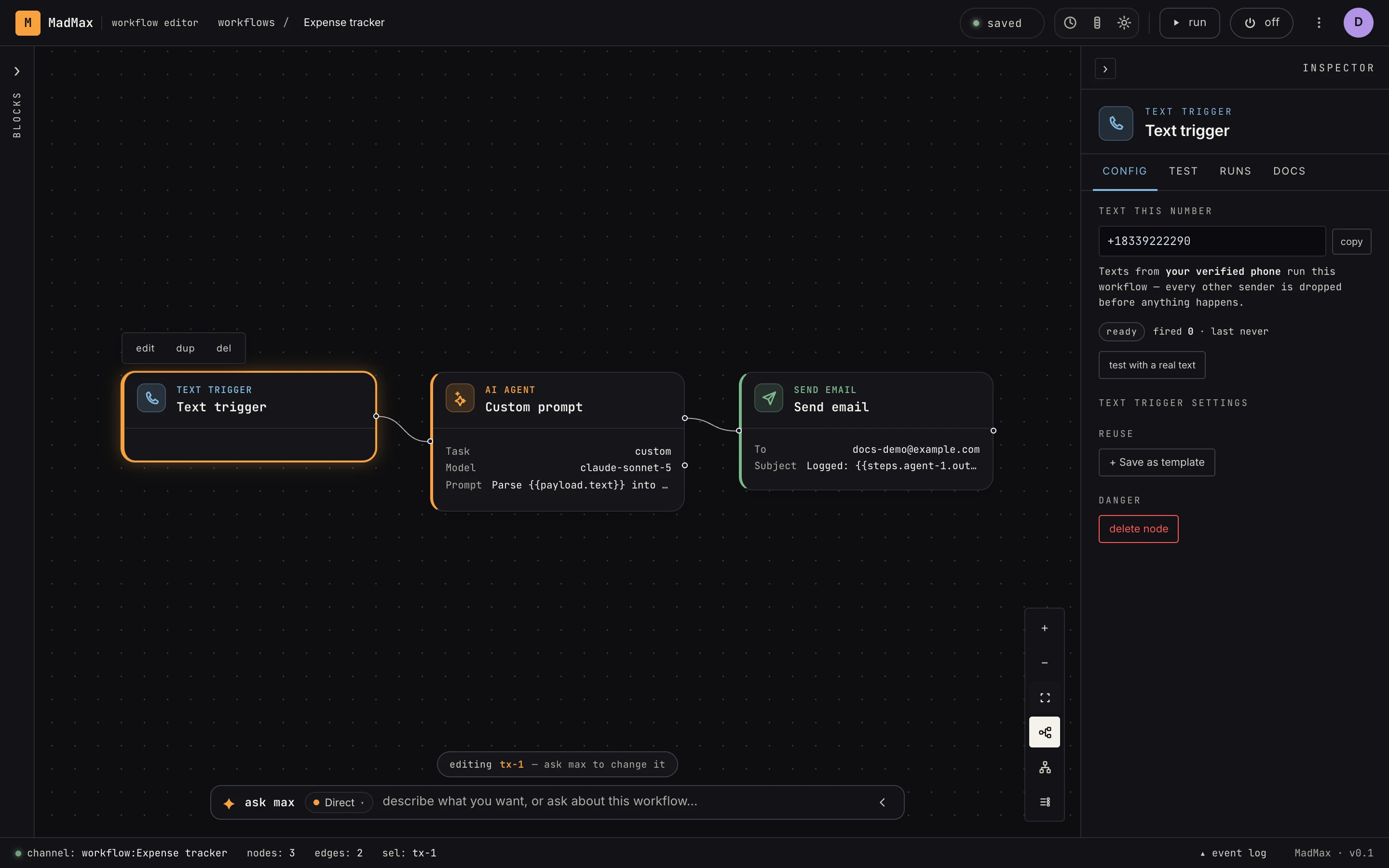
No app open, no dashboard. Text MadMax like a person, or email a workflow its own address. Verified senders only, so nobody else can touch them.
Every plan includes the canvas, Max, and the full integration library. Start free and upgrade when you outgrow it.
For personal projects.
For teams running the business on it.
Your own isolated MadMax instance.
No. You describe what you want in plain English and Max proposes the workflow block by block. There's a full canvas and a code step underneath for when you want them, but they're optional.
Yes. AI agents with tools, memory and knowledge bases are steps on the canvas; if, switch and classify route between them; loops and merges fan work out and back in; call-workflow runs a sub-agent; approvals put a person in the loop. What frameworks leave out is built in: every hand-off has a declared shape, every step is test-run on real data before activation, and every run is a ledger of what each agent saw and did.
Every step is run against your real inputs while you build: a real webhook delivery, a real email, your actual PDF. You approve what actually happened, not a diagram. Activating then pins a version, so production never shifts under you.
Yes, both are built in. Every workflow can mint its own email address, and you can text MadMax's number from your verified phone. Both are locked to senders you control; everything else is dropped before any processing.
Native integrations including Slack, Gmail, Notion, Airtable, Google Sheets, Linear, GitHub, Stripe and Postgres, plus HTTP and webhooks for any other API, and bring-your-own AI models.
MadMax has a free plan: a personal workspace, 20 active workflows, and 500 runs a month, free forever. Pro is $29/month per workspace with unlimited workflows, 10 parallel runs, 2,000 runs a month, 5 seats, and 1,000 AI credits monthly. Enterprise gets a dedicated isolated instance.
You'll have something running before your coffee's cold. Free to start. No card, no sales call.
Enter your email and we'll send a 6-digit code.