Save to store
Upsert one keyed row into a workspace data store: same key replaces or merges, new key inserts, every write validated against the schema. Idempotent saves.
Write one keyed row into a workspace data store. Same key → the row is replaced (or merged, see Mode); new key → inserted. Every write is validated against the store's schema, and the row records which run wrote it.
What it does
The step renders the row key and every field value against the upstream payload, assembles them into one map, validates that map against the store's schema, and writes it under the key. The whole thing is an upsert: there is no separate insert and update, and no "already exists" error. Running the same workflow twice over the same data produces the same rows, not duplicates.
The store is resolved through the run's workspace, so a slug or id from another workspace comes back as not found. Each row keeps the id of the run and the workflow that last wrote it; the row browser in Settings links straight to that run.
Config
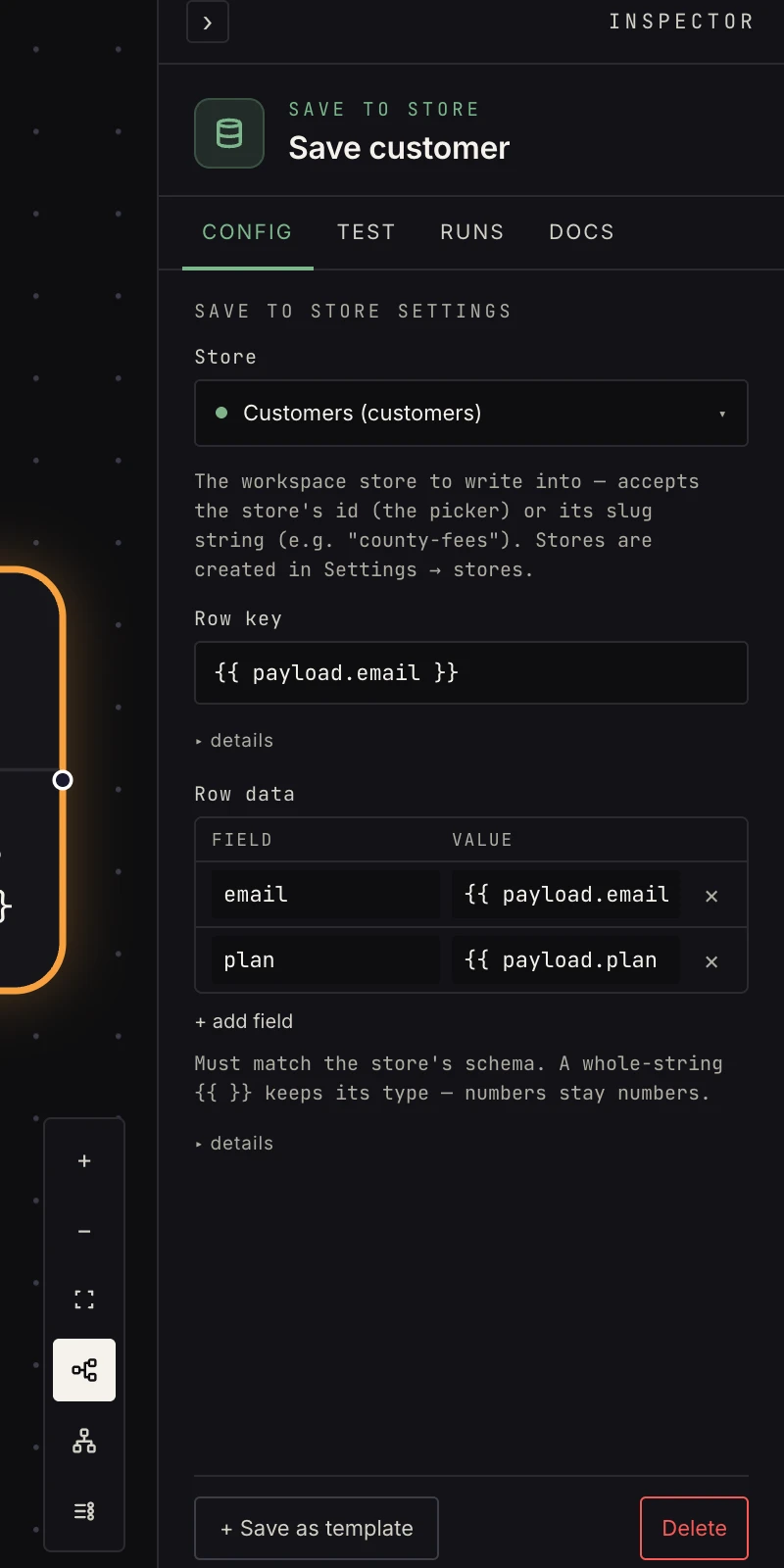 Store, row key, and the field assignments forming the row.
- Store: pick the store (created in Settings → data with a name and schema). The AI builder writes the store's slug here; both work.
- Mode:
replace(default) makes the row exactly the fields you set, dropping anything else that was there.mergedeep-merges your fields into the existing row: fields you don't set survive, nested maps merge, lists and scalars you set replace. - Row key: template-rendered. Keys are your contract: a county FIPS, an email, an order id, whatever callers will look the row up by. A key that renders empty fails the step.
- Row data: one row per field, a Field and a Value;
values are templates, and a whole-string
{{ … }}keeps its type, so numbers stay numbers and lists stay lists. Field names are dot-paths, soaddress.citynests.
Output
{
  "key": "41051",
  "data": { "fee_cents": 7600, "source_url": "https://…" },
  "mode": "replace",
  "store_slug": "county-fees",
  "updated_at": "2026-08-08T12:00:00Z"
}
data is the row as written. After a merge that is the full
merged row, not just the fields this step set, so a downstream
step can read {{ payload.data.fee_cents }} even when another
step wrote it. key and store_slug ride along for logging.
Patterns
- Durable results: extraction and enrichment pipelines write here; the data outlives the run.
- Read it from anywhere: workflows via get from store; external systems over the read API with a developer token.
- Idempotent pipelines: because writes are upserts, re-running a workflow overwrites rather than duplicates.
- Accumulating state: a per-customer or per-thread row that
several workflows touch takes
mergemode, so the step that updateslast_seendoesn't wipenotes. - Work queue: write rows with the expensive field left out, then let a second workflow list the rows still missing it and fill them in batches.
Gotchas
- A write that doesn't match the store's schema fails the step with every violation listed. Fix the field mapping, don't loosen the schema. Fields marked sensitive in the schema are encrypted at rest and come back masked in Settings.
replacereplaces the whole row, so include every field the row should keep, not just the one you're changing. Switch tomergewhen the row accumulates state across runs.mergeis read-then-write, not atomic. Two runs merging the same key at the same moment can drop the loser's fields, which is fine for per-thread state and wrong for counters.- Stores have a row cap (100,000 by default). A write that would push a store past its cap fails the step.
Related
- Data stores for schemas, the row browser, and the REST read API.
- Get from store to read rows back.
- Set fields to shape the payload before saving.