Get from store
Fetch one row by key, or list a batch of rows still missing a field as a work queue. The found flag, the data envelope, and the drain-the-queue pattern.
Read from a workspace data store, the durable tables your workflows share. Two modes:
- by_key: fetch one row by its key.
- list: fetch a batch of rows still missing a field: the work-queue read.
What it does
In by_key mode the step renders the key template against the
upstream payload and looks the row up. A hit returns the row's
data; a miss returns found: false and the run keeps going. That
is deliberate: "have we seen this before?" is a question, not a
failure, and the first time a key shows up is usually the
interesting case.
In list mode the step asks the store for rows whose data has no
value for one field (the key is absent, or present with null),
sorted by key ascending and cut off at the batch size. Because the
sort is stable and the filter shrinks as rows get filled in, each
run of the workflow picks up the next slice of unfinished work
without any cursor to manage.
Either way the store is resolved through the run's workspace. A store id or slug from another workspace resolves to not found.
Config
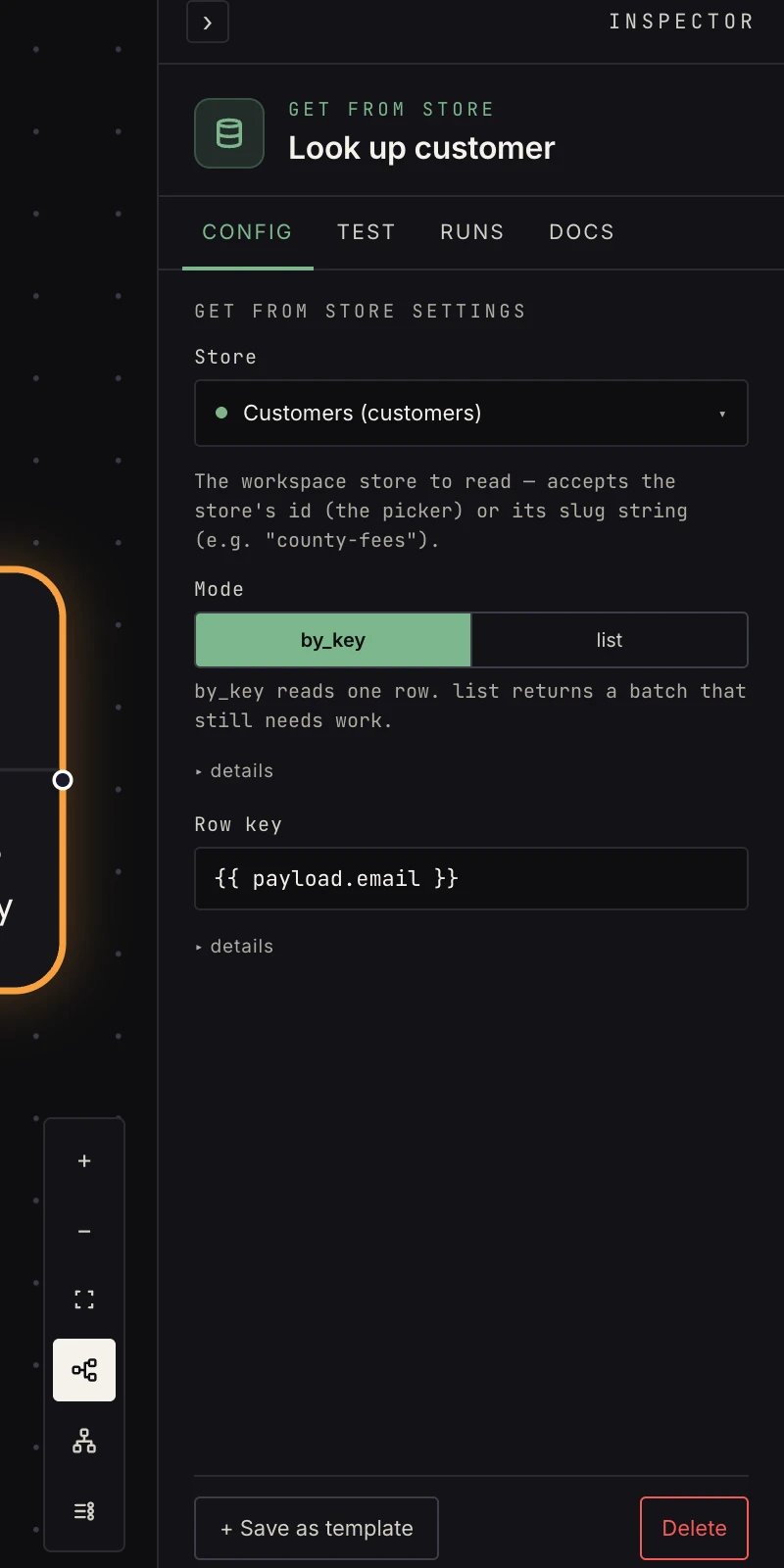 Store, mode, and the key (or the missing-field filter).
- Store: pick the store (created in Settings → data). The AI builder writes the store's slug here; both work.
- Mode:
by_key(default) orlist. The fields below change with it. - Row key (by_key): template-rendered,
{{ payload.id }}. A key that renders empty fails the step with a hint to check the reference. - Missing field (list): a literal field name, not a template; returns only rows whose data lacks it. It can't be a field the schema marks sensitive, because encrypted values are never empty in the database.
- Batch size (list): defaults to 50, cap 500, keyed ascending so batches are deterministic.
Output
// by_key, hit:
{ "found": true, "key": "41051",
  "data": { "fee_cents": 7600, "source_url": "https://…" },
  "updated_at": "2026-08-08T12:00:00Z" }

// by_key, miss (NOT an error):
{ "found": false, "key": "41051", "data": null, "updated_at": null }

// list:
{ "rows": [ { "key": "41051", "data": { "fee_cents": 7600 } },
            { "key": "41053", "data": { "fee_cents": 8100 } } ],
  "count": 2 }
After by_key, row fields live under data:
{{ payload.data.fee_cents }}. After list, loop over
payload["rows"] and read {{ payload.item.key }} and
{{ payload.item.data.fee_cents }} inside the body.
Patterns
- Lookup + branch: by_key → if on
payload["found"], for cache-style "have we seen this?" checks. - Work the queue: list with a missing field →
loop over
payload["rows"]→ do the work → save to store keyed{{ payload.item.key }}. Each run drains one batch;count: 0means done. - Drain in one run: wrap the queue pattern in a
loop until with the stop condition
payload["count"] == 0, so one scheduled run works the whole backlog batch by batch. - Config table: a store of per-customer settings, read by key
at the top of a run so the rest of the workflow can template on
{{ payload.data.channel }}.
Gotchas
- A missing row returns
found: false, never a failure. Branch on it when absence matters; don't rely on the step stopping the run. - Row fields live under
data: reference{{ payload.data.fee_cents }}, not{{ payload.fee_cents }}. listonly sees rows where the field is absent ornull. A row where a previous run wrote an empty string is "done" as far as the filter is concerned; writenullor omit the field for work that still needs doing.- A step that fills the missing field in
replacemode must include every other field too, or it wipes the row while completing it. Use save to store inmergemode for queue work.
Related
- Data stores for creating stores and browsing rows.
- Save to store for the write side.
- Loop for working through a batch.