The Inspector
Click a node to see its fields with inline hints, conditional sections, and template dialects. Covers the On failure panel, error port, and the Test tab.
Click any node and the Inspector opens on the right, with the step's whole configuration in one panel.
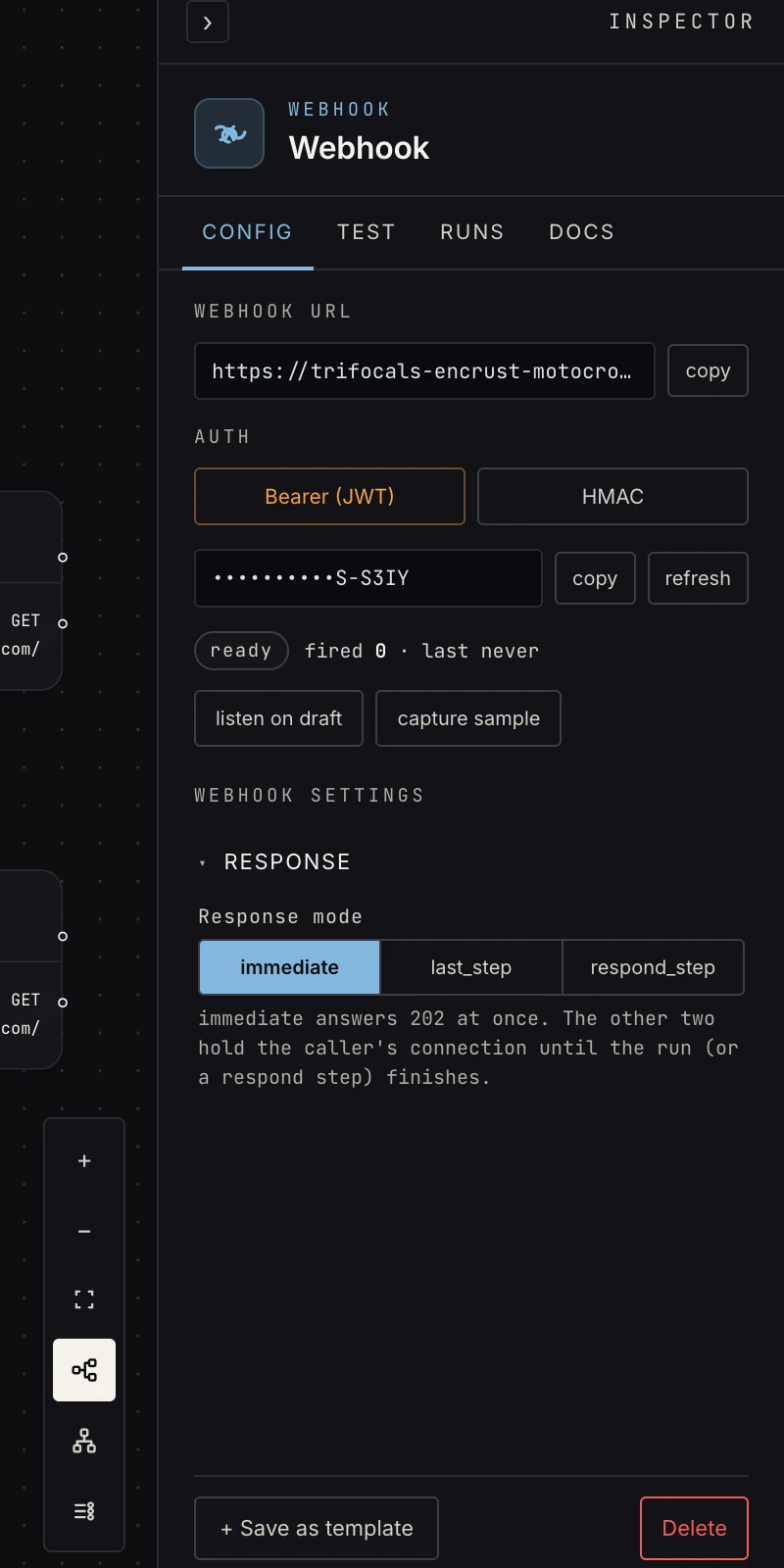 Fields carry inline hints; related fields group into sections; some appear only when relevant.
Config fields
Each step type declares its own fields: an If has one expression, a webhook has its method and response mode, an agent has its task, prompt, and schema. Three behaviors worth knowing:
- Hints: the gray line under a field is the contract, not decoration ("a path to a list that already exists in the upstream output"). When a build misbehaves, re-read the hint.
- Conditional fields: some fields appear only when relevant (the poll interval only under respond-mode choices that poll; the sort key only for reshape's sort task).
- Templates: most text fields accept
{{ payload.field }}/{{ steps.id.output.field }}. Expression fields (if/switch/loop) usepayload["field"]brackets instead, and the hint always says which dialect the field speaks.
Error handling
Steps that talk to the outside world (web request, AI agent,
connected apps) carry an On failure panel: fail the run
(default), retry, → error port (which adds an error output
port you can wire a fallback path to), or retry, then → error
port. The error port shows up on the node the moment a routing
strategy is chosen.
The Test tab
The Inspector's Test tab runs just this step:
- Run step executes the step against its upstream steps' pinned outputs and pins the result, and downstream tests then use it. This is the chain the AI's verify loop uses too.
- Trigger steps open their sample window instead (the webhook URL to curl, the form to submit, the upload drop) so the pin holds a real sample.
- Steps that send externally (web request writes, app operations) offer a preview: the exact request that would be sent, without sending it.
The pinned output is what {{ payload.* }} autocompletes and path
lookups are computed from, so test early and the rest of the build gets
smarter.
A third tab, Runs, lists this step's recent real executions with
their input, output and error.
FAQ
Why is a field ignored? Check its hint; some fields only apply with a connection bound (the agent's model picker) or under a particular mode.
Where do I see what this step outputs? Test it once, then the Test tab shows the pinned output; every step's docs page also states the shape.
Where to go next
- Saved steps
- Core concepts: the payload rules the Inspector's templates rely on.