Schedule
Time as a trigger: a five-field cron expression evaluated in an IANA timezone, firing while the workflow is active. Common cron shapes and digest patterns.
Time as a trigger: a cron expression plus a timezone.
When it runs
Whenever the cron matches, while the workflow is active. Common shapes:
| cron | meaning |
|---|---|
0 9 * * 1-5 |
weekdays at 9:00 |
*/30 * * * * |
every 30 minutes |
0 16 * * 5 |
Fridays at 16:00 |
0 8 1 * * |
the 1st of each month, 8:00 |
Activating registers one cron entry per schedule step; deactivating removes it. Entries live in the database, so they survive deploys and restarts, and each slot fires exactly once across the whole cluster, so running more than one worker never double-fires.
Each tick creates a run against the workflow's active snapshot. One
guard applies: if the previous run started by this step is still
pending or running, the tick is skipped rather than stacked. A
slow nightly job never piles up behind itself.
Pressing Run on the canvas fires the workflow once, right now, without waiting for a slot.
Config
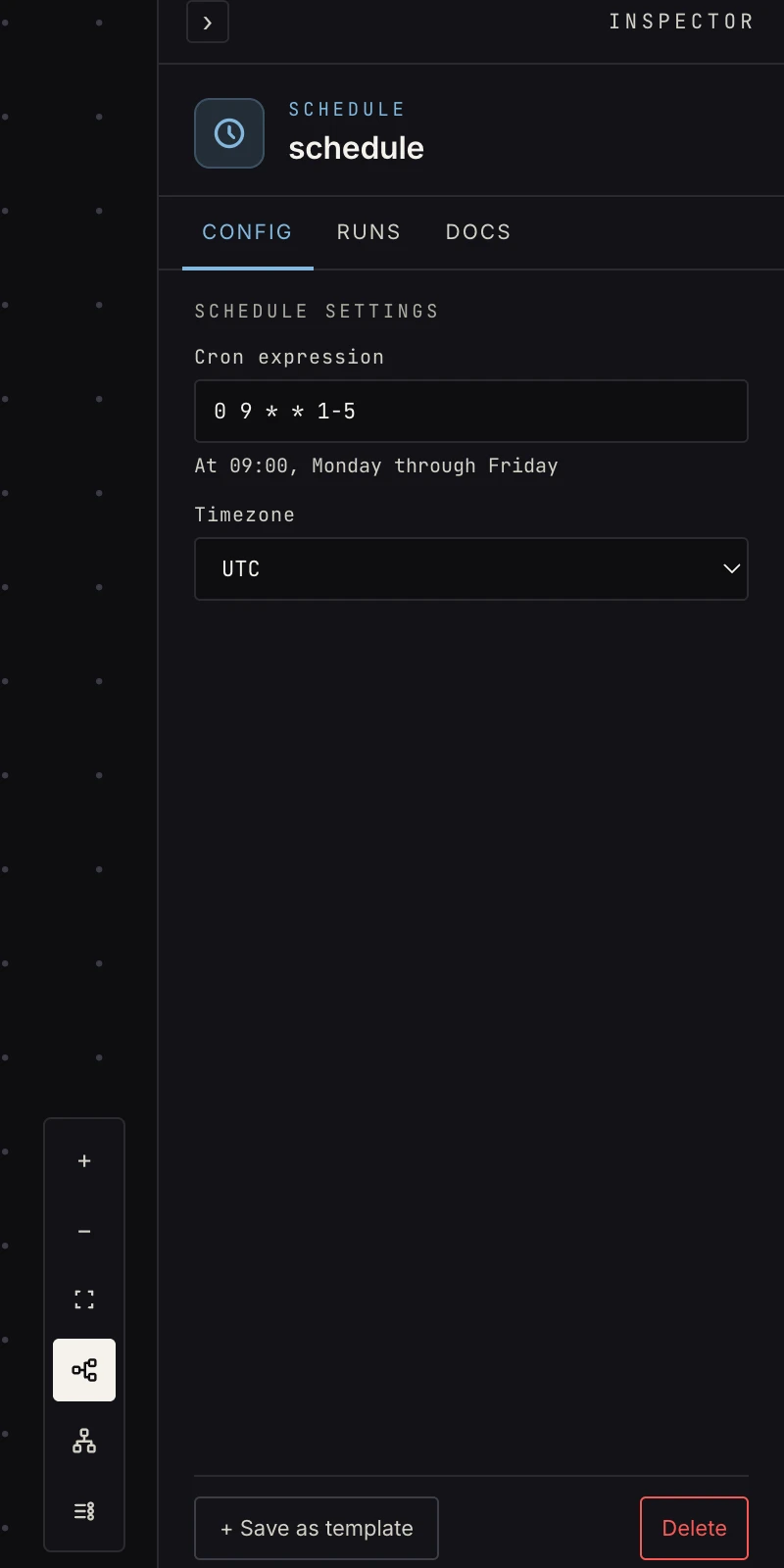 Cron + timezone. The five fields: minute, hour, day-of-month, month, day-of-week.
- Cron expression: standard five-field syntax, minute
granularity (no seconds field). The macros
@hourly,@daily,@midnight,@weekly, and@monthlywork too. The field is validated on every save; an invalid expression shows on the step as missing and blocks activation. Default0 * * * *, hourly. - Timezone: pick from the list (UTC, the main North and South
American, European, Asian, and Australian zones). The cron is
evaluated in it, DST handled:
0 9 * * *inAmerica/Los_Angelesstays at 9:00 local through the clock change. DefaultUTC.
Output
A cron fire starts the run with a small payload stamping when the slot fired:
{ "cron": { "fired_at": "2026-08-26T16:00:00Z" } }
{{ payload.cron.fired_at }} is useful for "since the last run"
windows. There is no other input, so the first stop is usually a
web request or a
store get. A run started from the Run
button (or the API) carries whatever that caller passed instead,
{} by default.
Patterns
- Digests: morning brief, weekly recap: schedule → fetch → AI summarize → deliver by email.
- Monitors: every-30-minutes fetch → filter new/worthy → notify only when something changed. Keep a "last seen" value in a store and compare against it.
- Housekeeping: nightly cleanup against a store.
- Fan-out: a schedule that only does call workflow in detach mode to kick off several independent jobs at once.
Gotchas
- Deactivating stops the clock; re-activating resumes it. Missed windows don't back-fill.
- For "once per new item" semantics on a polled API, use watch. A raw schedule re-processes the same items every tick unless you dedupe yourself.
- A tick is skipped while the previous run from this step is still going. If every-5-minutes work sometimes takes 6, you get fewer runs than slots, by design.
- The schedule reads the active snapshot. Editing the cron on the canvas changes nothing until you activate again.
Related
- Watch for polling with per-item memory.
- Activation for why the snapshot matters.
- Runs to see each tick's run.