The workflow menu
The topbar menu for the whole workflow: run history with per-step detail, every activation snapshot, rename, duplicate, export as JSON, and turn off.
The ⋮ menu in the topbar holds everything about the workflow as a whole. A scrim closes it on an outside click, Esc closes it too, and every item closes the menu before it acts.
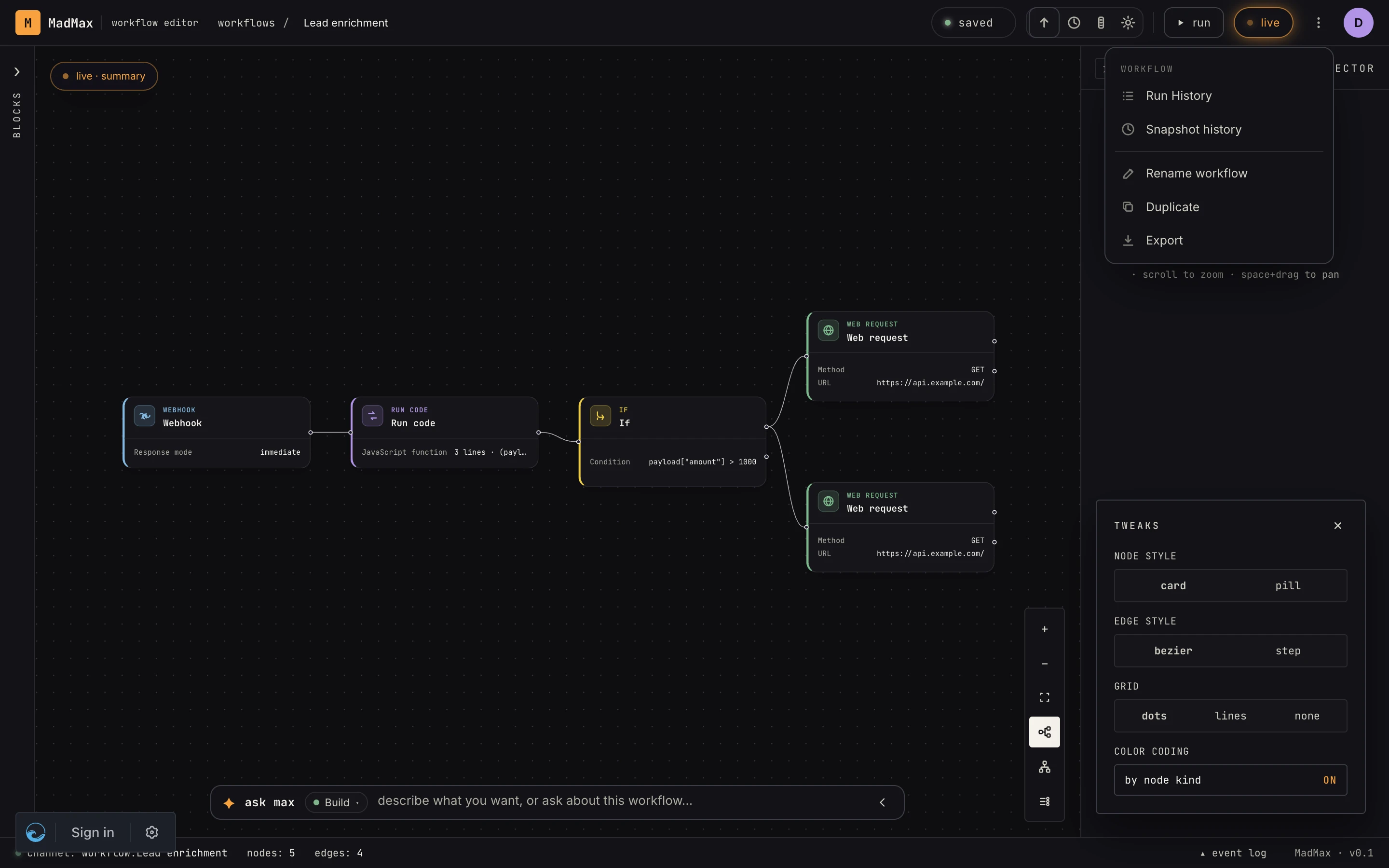 Run history and snapshot history up top; rename, duplicate, export below, plus Turn off while the workflow is live.
Run history
Opens the workflow's runs page. Every execution of this workflow, live and finished, with per-step detail: what each step received, produced, how long it took, and where a failure happened. Runs that paused (waits, approvals) show their state and resume point. Full guide: runs.
Snapshot history
Every Activate freezes the canvas into a snapshot; this sheet lists the most recent ones, newest first, with two badges: live on the snapshot triggers fire against, and on canvas when your editing canvas currently mirrors an older one. Click a row to load that snapshot's graph onto the canvas. That is a revert of the canvas, not of production: the live snapshot stays live until you click Publish edits. While the canvas has drifted from the live snapshot, the live row also carries a Discard pending edits button that throws your edits away and returns to it. The live snapshot and your editing canvas are separate things (see core concepts).
Rename
Focuses and selects the name in the topbar; type and the new name saves as you go. It changes the workflow's name everywhere: the workflows index, run history, the AI's view of it. Sub-workflow calls reference workflows by id, so renaming never breaks a caller. A blank name is ignored.
Duplicate
A full copy of the current canvas (steps, edges, configuration) as a new, inactive workflow named "name (copy)" in the same workspace, and you land on it. Connection bindings do not copy: the copy's steps show as needing a connection until you pick one, and webhook triggers get fresh URLs and tokens. References that are still valid inside the workspace (a sub-workflow target, a bound memory, a knowledge base) are kept. Pinned test outputs and run history don't copy; they belong to the original's life, not the graph.
Export
Downloads the workflow as JSON, named after the workflow with a
.madmax.json suffix, in the same format the import path accepts
(import & export). It carries the graph and
each step's config, the workflow notes and setup hints, a
requirements list, and the definitions of the stores, memories and
knowledge bases the steps use (by name and schema, never their
rows). Anything that only means something inside your workspace is
stripped: connection bindings, webhook ids, phone bindings, and
workspace-local ids such as a sub-workflow target. Secrets never
live in the graph, so they can't leak. Pair with import to move
workflows between workspaces or share a shape publicly.
Turn off
Only there while the workflow is live. It is the same action as the topbar's power pill. Triggers stop firing immediately and the snapshot stays for the next activation. If other workflows call this one, a banner names them: their call-workflow steps fail until you reactivate or re-point them.