The workflows index
The workspace's front page: the health strip, folders, notes on every workflow and folder, the needs-setup cue, and the fix-with-Max shortcut.
The Workflows page is where a workspace lives between edits: every workflow, its status, its recent runs, and the folders you sort them into. Two things on it are easy to miss and worth knowing: notes and the needs-setup cue.
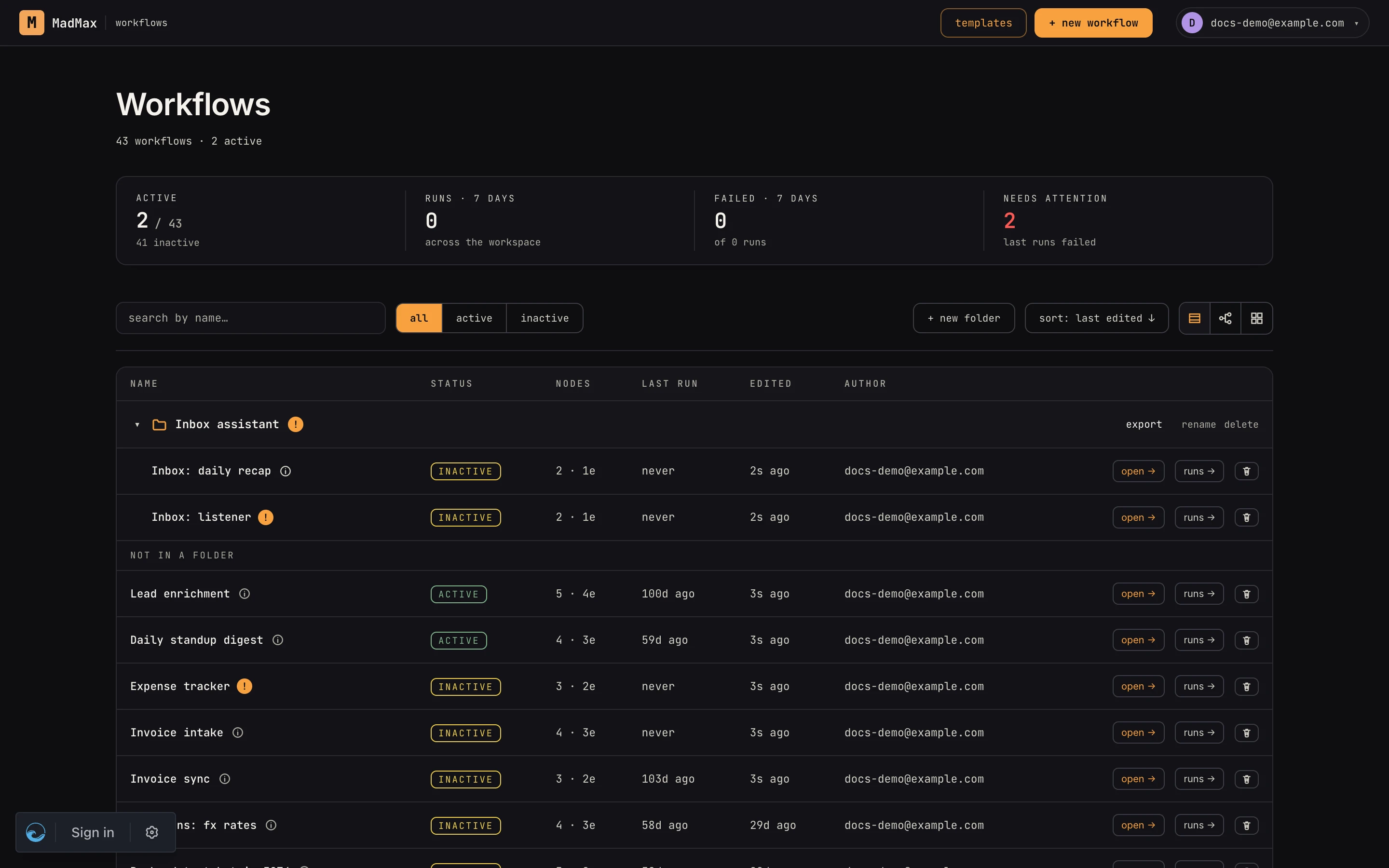 A folder and its workflows. The
 i opens notes; the amber ! means something still has to be configured.
Notes
Every workflow and every folder has a notes field. Click the small
i next to the name to read it; edit notes opens the editor,
⌘⏎ (Ctrl+Enter) saves, Esc closes. Notes are markdown — headings,
bold, lists and links render in the modal — up to 10,000 characters,
and show up nowhere else: they are for the next person who opens the
list, saying what the workflow does, what it expects, who owns it.
- Workflow notes are the right place for "what this does and why". On a card they show as a short excerpt under the name.
- Folder notes describe how the workflows inside fit together: which one is the entry point, which ones it calls, in what order. Bundles installed from the template store arrive with both filled in.
The i is always there. It is dim when there are no notes yet and
brighter once something is written.
The needs-setup cue
When a workflow still can't run as installed, the i becomes an amber
!. Hover it for the count ("3 items to configure"); click it and the
notes modal adds a needs setup panel listing exactly what is
missing, one row each, with a one-line hint:
| kind | what it means |
|---|---|
| connection | a step uses an app (Gmail, Slack, GitHub…) and no connection is bound yet |
| input | a required field in a step is still blank |
| store | a step reads or writes a data store that doesn't exist in this workspace yet |
| link | a sub-workflow call points at nothing, or at a workflow that isn't here |
The list is derived from the steps themselves, never hand-written, so
it stays true as you fix things: bind the connection on the canvas,
come back, and the ! is an i again. Template bundles can ship
their own hint per item ("Connect the workspace Slack app the bot
replies as") in place of the generic one.
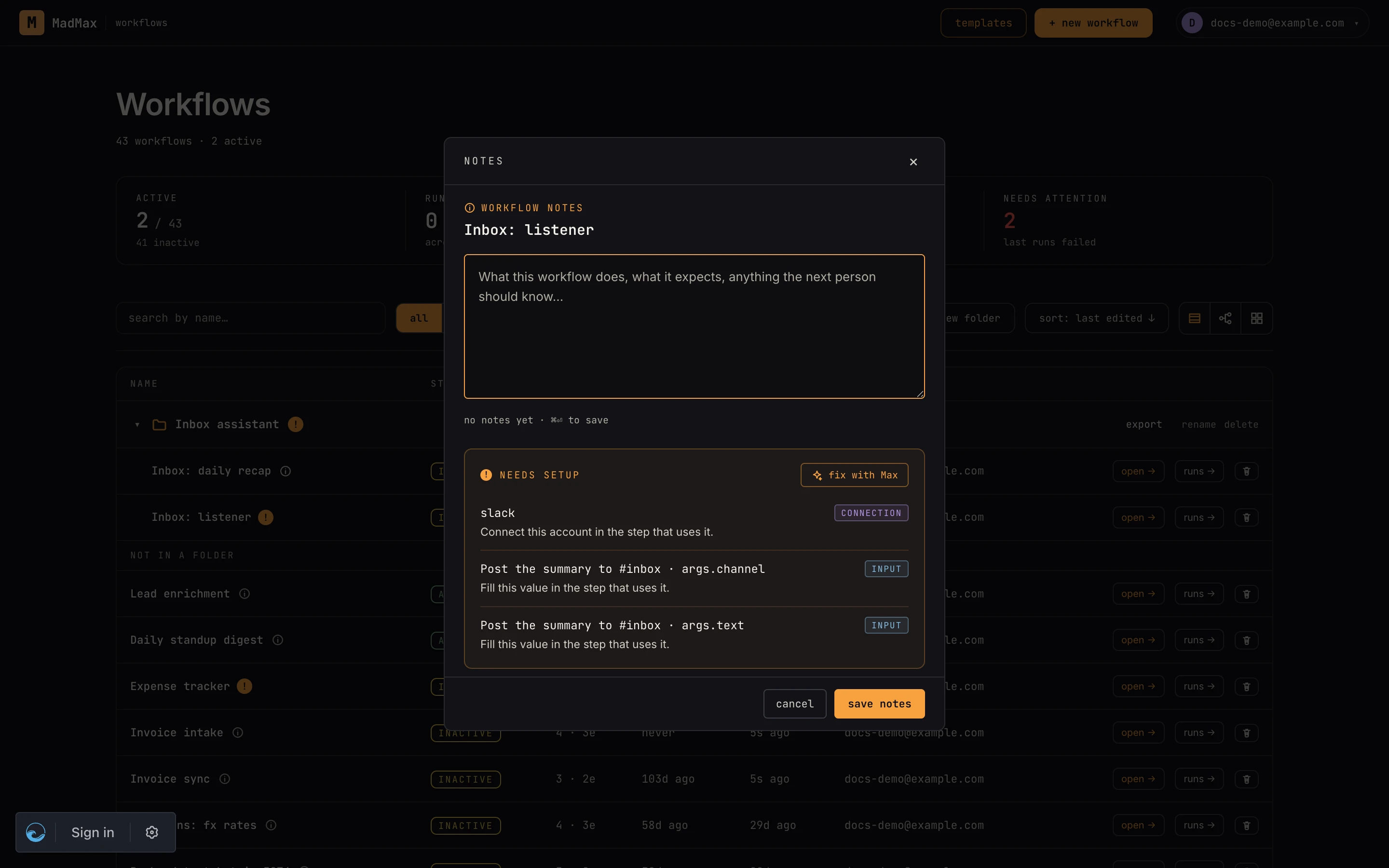 One row per item, with its kind and a hint. Fix with Max opens the canvas with these prefilled in the chat.
A folder shows the ! when any workflow inside it (sub-folders
included) needs setup. Its panel lists every member with ! or ✓;
click a name to jump straight into that workflow's notes.
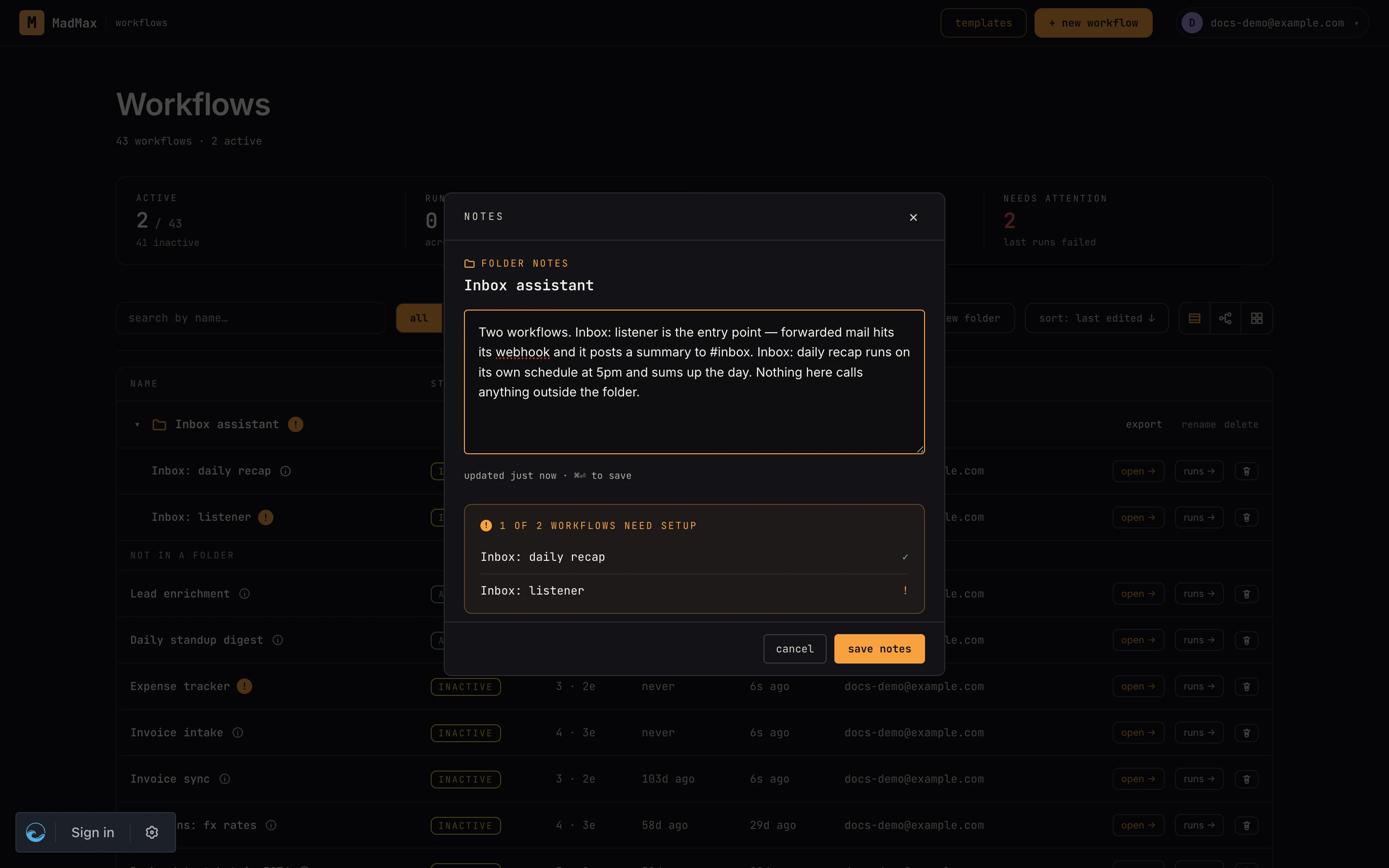 Folder notes describe the sequence; the member list shows who still needs attention.
Fix with Max
The needs-setup panel has one button: fix with Max. It opens the workflow with the chat already holding the list ("Help me finish setting up this workflow. Still needed: connection: slack; input: Post · channel…"). Nothing is sent until you press Enter, so you can edit the ask first. Max then walks the items with you on the canvas: picking a connection, filling the field, creating the store, pointing the call at the right workflow. See the chat for how that conversation works.
Folders
Drag a workflow onto a folder to file it; drag a folder header to
reorder folders; one level of sub-folders is allowed. Collapse a
folder with the chevron — a collapsed folder still shows its ! when
something inside needs attention. Folders carry across export and
import: a folder export is a bundle of its workflows plus the folder's
notes.
Over the API
Notes are plain attributes: PATCH /api/v1/workflows/:id with
notes, and PATCH /api/v1/folders/:id/notes for a folder. Both
stamp notes_updated_at only when the text actually changes. The MCP
workflows resource lists notes alongside each workflow's name and
id. Full reference: REST API.
Where to go next
- Getting started — the index at a glance
- Import & export — bundles, templates, and what travels with a folder
- Managing connections — the most common needs-setup item