Canvas tools
The canvas rail: zoom, fit to view, left-to-right or top-down auto-arrange, and a route overlay for branch wiring. Plus undo the AI's last turn and tweaks.
The button rail on the canvas's right edge holds the view tools (the topbar's canvas-controls icon shows and hides it); the tweaks panel (topbar sun icon) holds the visual preferences.
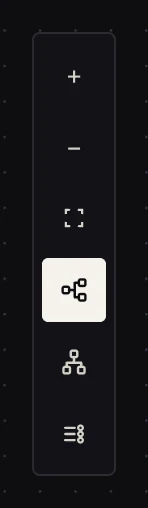 Top to bottom: zoom in, zoom out, fit to view, horizontal flow, vertical flow, show routes.
The rail
- Zoom in / out, or just scroll on the canvas.
- Fit to view frames the whole graph. The fastest "where am I" button.
- Horizontal flow auto-arranges the graph left-to-right, ports on the side edges. This is a re-layout, not just a camera move: nodes are tidied into rank order.
- Vertical flow is the same tidy, top-to-bottom, ports on the top/bottom edges. Pick whichever reads better for your graph's shape; MadMax remembers per workflow.
- Show routes overlays every node's output port labels (true/false, case names, iterate/done) so you can audit branch wiring at a glance without hovering.
Undo Max's changes
After the AI edits your canvas, an undo control appears on the rail. One click restores the graph to exactly before the AI's last turn. It stays available until you activate, start another AI turn, or edit past it.
The tweaks panel
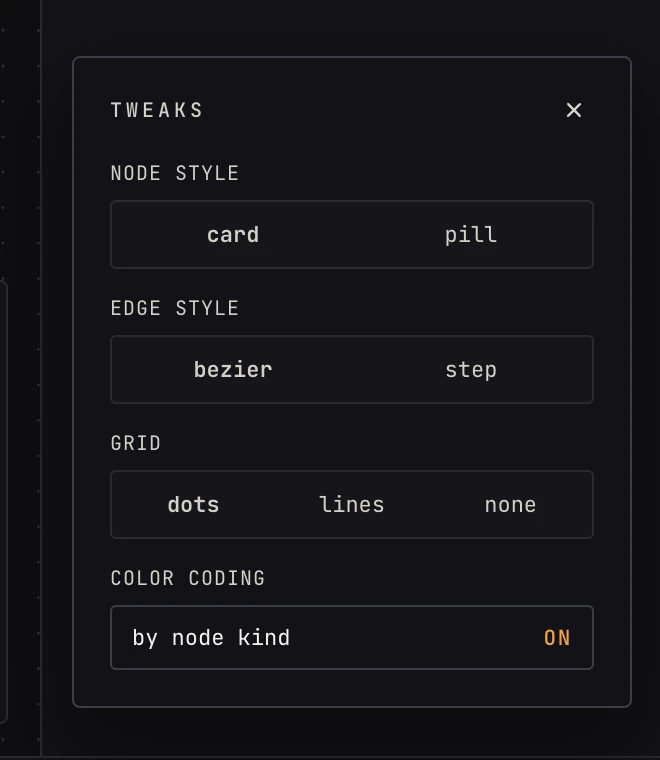 Pure preference. None of these change how the workflow runs.
- Node style: full cards (config summary visible) or compact pills (name + icon only; good for big graphs).
- Edge style: smooth bezier curves or right-angled step edges.
- Grid: dots, lines, or none.
- Color coding: by node kind on/off, tint each node by its block group (triggers blue, decide amber, …) or keep them neutral.
FAQ
Does auto-arrange move my manual layout permanently? Yes. It rewrites positions (that's its job). The camera tools (zoom, fit) never move nodes.
My edges look tangled. Fit to view, then hit a flow direction; the rank layout untangles most graphs.