The blocks palette
The Blocks tab: Core primitives grouped as Start, Understand, Transform, Decide, Check and Act, an Apps tab for connected services, and your Saved steps.
The Blocks tab in the left panel is where every step comes from. It has three tabs of its own.
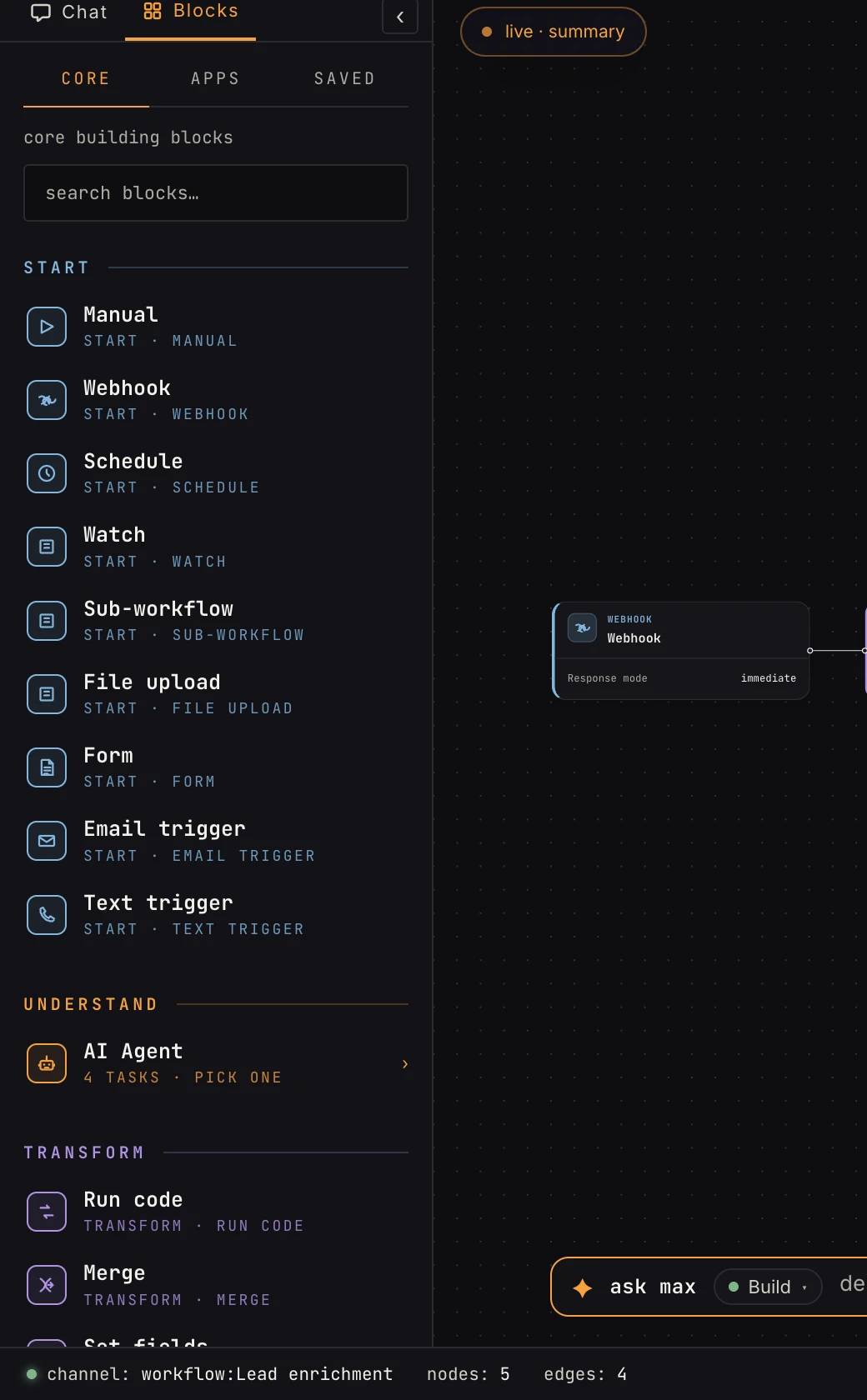 Core blocks, grouped by what they do in a workflow. The groups mirror how the AI plans.
Core
The platform's own primitives, grouped by role:
- START: the ways a workflow begins, manual, webhook, schedule, watch, sub-workflow, file upload, form, email trigger, text trigger. Every workflow has exactly one.
- UNDERSTAND: the AI agent, with four tasks (custom prompt, extract, classify, summarize). Tiles that say pick one open a flyout, where you're choosing a preconfigured task, not a blank step.
- TRANSFORM: run code, merge, set fields, reshape, extract HTML. (Extracting from an uploaded file is the AI step's extract task.)
- DECIDE: if / else, switch, loop, loop until.
- CHECK: wait, approval.
- ACT: the outputs, web request, respond to webhook, send email, send text, get from / save to store, save to knowledge, and your connected apps.
Type in search blocks… to filter everything at once.
Apps
Connected services (Slack, GitHub, and the rest), each expanding into that provider's operations (send a message, open a PR, …). An app you haven't connected yet shows its connect path right in the flyout. See connecting your accounts for how credentials work.
Saved
Your reusable configured steps. Configure any step once, save it from the Inspector, and it appears here, personal by default or shared with the workspace. Details: saved steps.
FAQ
Why can't I find "HTTP request"? It's Web request, under ACT.
Why does AI Agent say "pick one"? The tile fans out into its four tasks so you land with the right config, not an empty form. The same goes for Reshape's six list operations and the Branch pair.