Set fields
Assign payload fields from templates or constants, one row each, with dot-path keys. Merge over the upstream payload or replace it, keeping template types.
Assign payload fields from templates. It is the no-code way to rename, pluck, or restructure data between steps. Reach for this before run code: most reshaping is three rows here.
What it does
Set fields walks its rows in order and writes each one into the
output map. The value of a row is a template rendered against
the upstream payload; the key says where in the output the
rendered value lands. In merge mode the rows are layered over a
copy of the upstream payload, so everything you didn't touch
survives. In replace mode the rows are layered over an empty
map, so the output is exactly what you listed.
Templates can reach past the immediate upstream step. Besides
{{ payload.x }}, a value can reference any earlier step's output
by step id as {{ steps.<id>.output.x }}, which is the way to pull
a trigger field forward after an intermediate step replaced the
payload. The build-time linter checks that the referenced step is
actually upstream and that the path exists on its declared shape.
Config
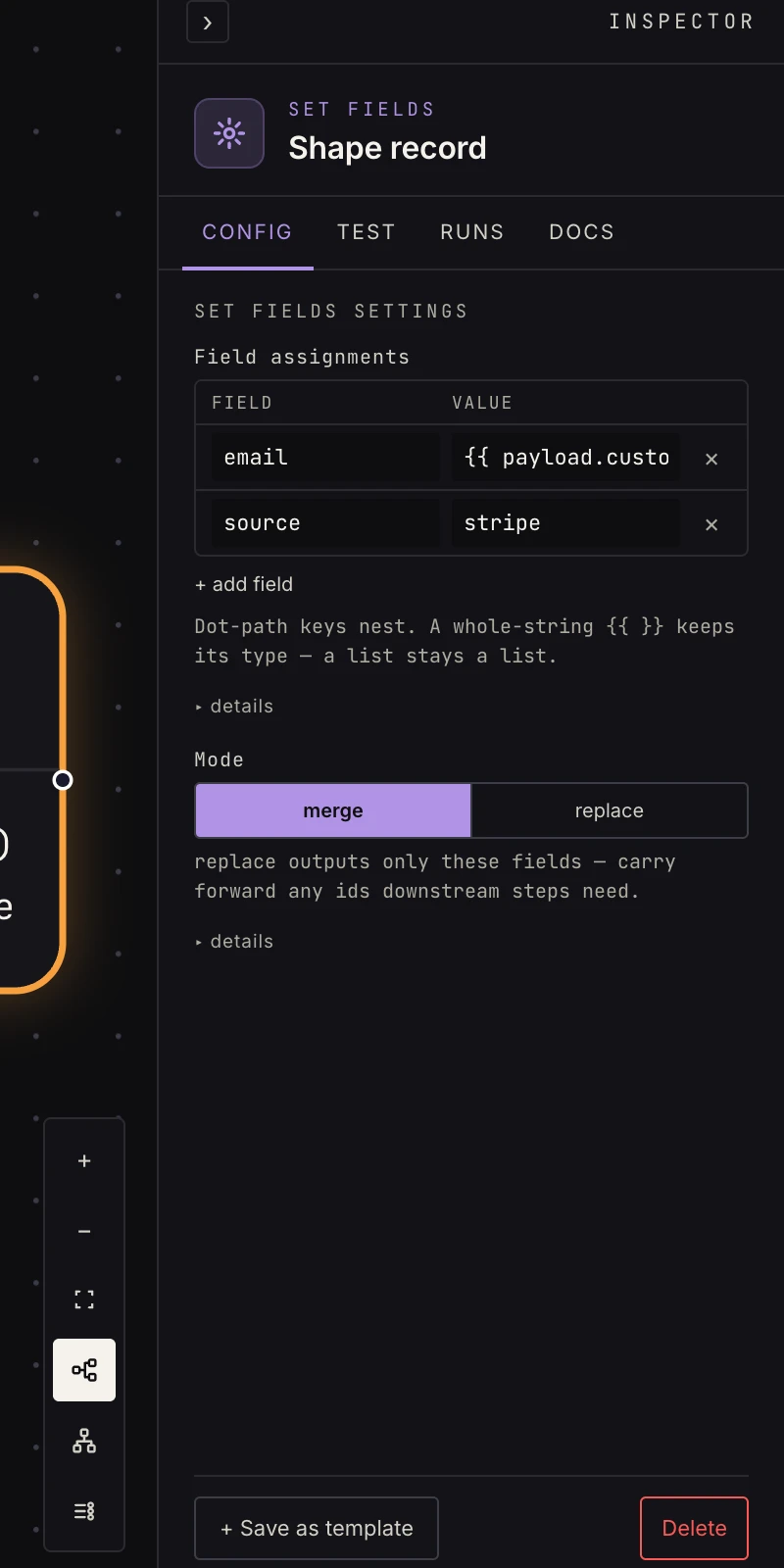 Field rows plus the merge/replace switch.
- Field assignments: one row per field, a Field and a
Value. Values are templates over the upstream payload, such
as
{{ payload.customer.email }}, or constants. Keys are dot-paths:meta.imported_atnests as{meta: {imported_at: …}}, creating the intermediate maps as needed. - Mode:
merge(default) layers your assignments over the upstream payload (everything else passes through);replaceoutputs only the assigned fields.
A value that is a whole-string template keeps its resolved type:
"{{ payload.items }}" stays a list, "{{ payload.count }}" stays
a number. Mixed text ("got {{ payload.count }}") renders as a
string. A reference to a missing path renders empty, or you can
declare a fallback inline: {{ payload.priority | default:"normal" }}
(a whole-string default keeps the default's type, so
| default:0 is the integer 0). default: is the only filter;
there are no conditionals or loops in templates.
Output
merge: the upstream payload with your assignments applied.replace: exactly your assigned fields, nothing else.
With upstream { "customer": { "email": "a@example.com", "id": 7 }, "count": 3 } and the rows email ← {{ payload.customer.email }},
source ← stripe, meta.count ← {{ payload.count }}:
// merge
{ "customer": { "email": "a@example.com", "id": 7 },
  "count": 3,
  "email": "a@example.com",
  "source": "stripe",
  "meta": { "count": 3 } }

// replace
{ "email": "a@example.com",
  "source": "stripe",
  "meta": { "count": 3 } }
Note meta.count is the number 3, not the string "3", because
the value was a whole-string template.
Patterns
- Pluck:
email←{{ payload.customer.email }}flattens a nested value for a simpler downstream reference. - Stamp:
source←stripetags records before saving. - Adapter:
replacemode reshapes one step's output into exactly the fields the next step wants. - Carry forward: after a web request
replaced the payload with the response,
order_id←{{ steps.webhook-1.output.body.order_id }}brings the trigger's id back alongside the response. - Prepare a condition: an if only sees the immediate upstream output; set the field it needs here first.
Gotchas
- In
replacemode, anything you don't assign vanishes. Carry forward identity keys (document_id, record ids) later steps reference, or they're gone at this step. - A template that references a key the upstream output doesn't have renders empty. Check the upstream step's output shape (its docs page, or a test run) rather than guessing names.
- Rows apply in order, and a later row with the same key overwrites an earlier one. A dot-path row under a key that currently holds a scalar replaces the scalar with a map.
- Templates substitute values; they don't compute. Arithmetic, string splitting and date math belong in run code.