Activation & snapshots
Activating pins the canvas as an immutable snapshot that triggers fire against. Edits stay on the canvas until you publish; snapshot history is rollback.
The canvas you edit and the version your triggers fire are two different things. Understanding that split is most of understanding MadMax in production.
Going live
The topbar switch reads off or live. Turning it on activates the workflow: the current canvas is pinned as an immutable snapshot, and from that moment triggers fire against that frozen copy.
 Live, with a pending-edits count waiting to be published.
While a workflow is off, nothing fires: its webhook URL answers 404 (indistinguishable from a URL that never existed), schedules simply don't run, and other workflows can't call it. Building and testing on the canvas work the whole time.
Editing a live workflow
Edits, whether yours or the AI's, change the canvas only. The live snapshot keeps serving triggers exactly as it was, while the topbar shows a Publish edits button with a count of pending changes. Publishing cuts a new snapshot and repoints the triggers; until you click it, production is untouched. (Publishing is blocked while any step is incomplete.)
This means you can rework a live workflow at 2pm and publish at 5pm, and every run in between used the old version.
Snapshot history
The clock icon opens Snapshot history: every snapshot, newest-first, with two badges: LIVE (what triggers fire) and ON CANVAS (what you're looking at).
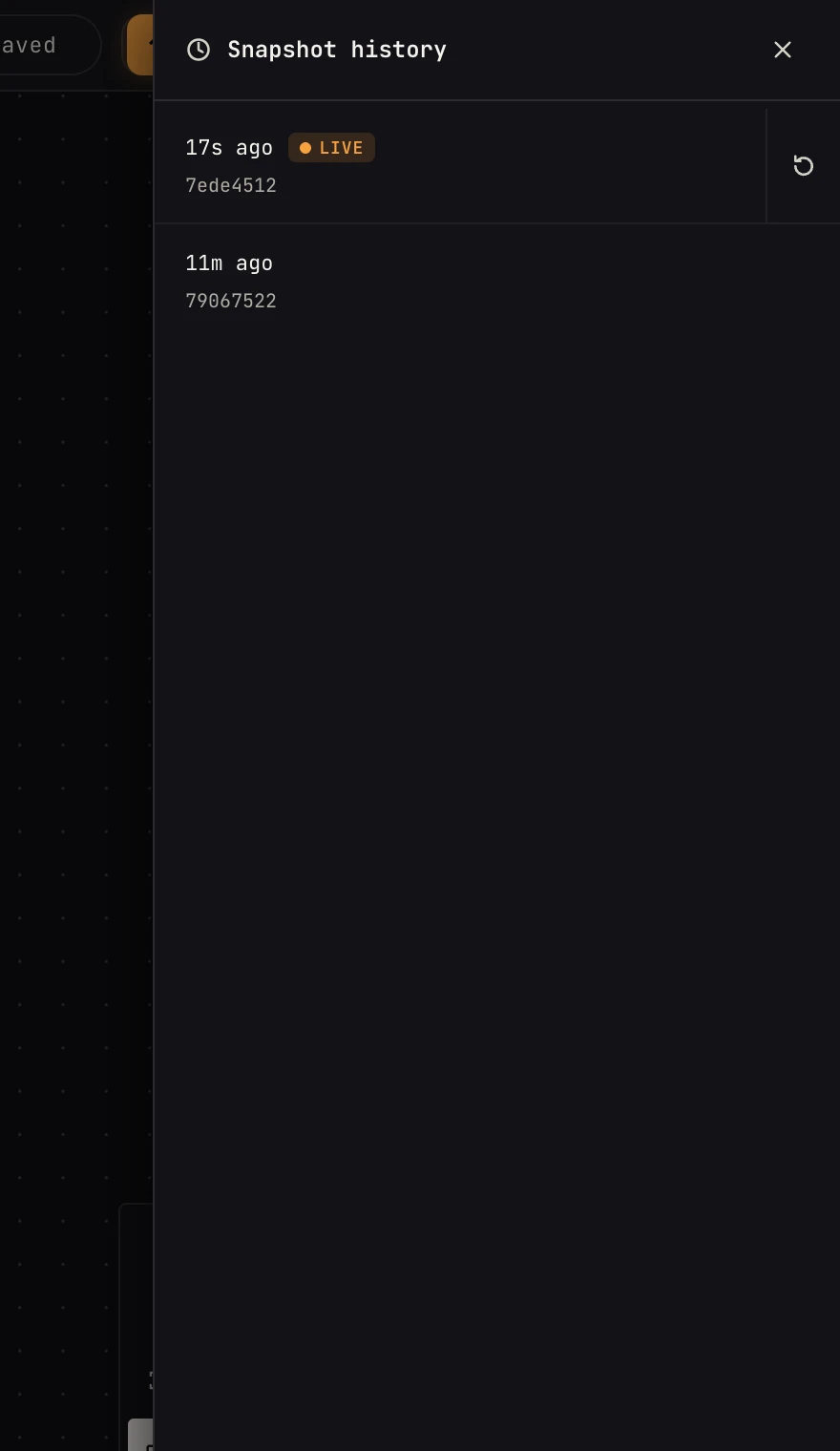 Every activation and publish cuts a row; click one to load it onto the canvas.
Clicking a snapshot loads it onto the canvas. It does not change what's live. That's the rollback flow: load the good snapshot, then Publish edits to make it live again. A discard control on the LIVE row throws away canvas drift instead.
Deactivating
Turning the switch off stops all triggers immediately. Snapshots are kept, and reactivating pins the canvas as a fresh snapshot.
Gotchas
- Publish is not save. The canvas autosaves continuously; Publish is specifically "make production match the canvas."
- In-flight runs finish on the snapshot they started with, so a publish mid-run doesn't change a running execution.
- Sub-workflows must be active to be callable, and callers run the target's snapshot, not its canvas.