File upload
A hosted upload page fires the workflow with the dropped files. Accepted types, size cap, single or batch, the files list output, and document pipelines.
A hosted upload page: someone drops a file, the workflow runs with it. It is the front door for document pipelines: CV screening, invoice extraction, PDF Q&A.
When it runs
On each upload to the step's page (URL in the Inspector, of the form
/uploads/<id>). Active workflows only, plus the listening window a
Run opens while you build. The page needs no login and no token: the
unguessable id is the access control, the same as a
form. An inactive workflow's page answers 404.
The page is a dark card with a drop zone and an Upload button. On submit, each file is written to object storage, a document record is created for it, and the workflow fires with the descriptors as payload. The uploader sees a progress bar, then "Uploaded. The workflow is running."
Config
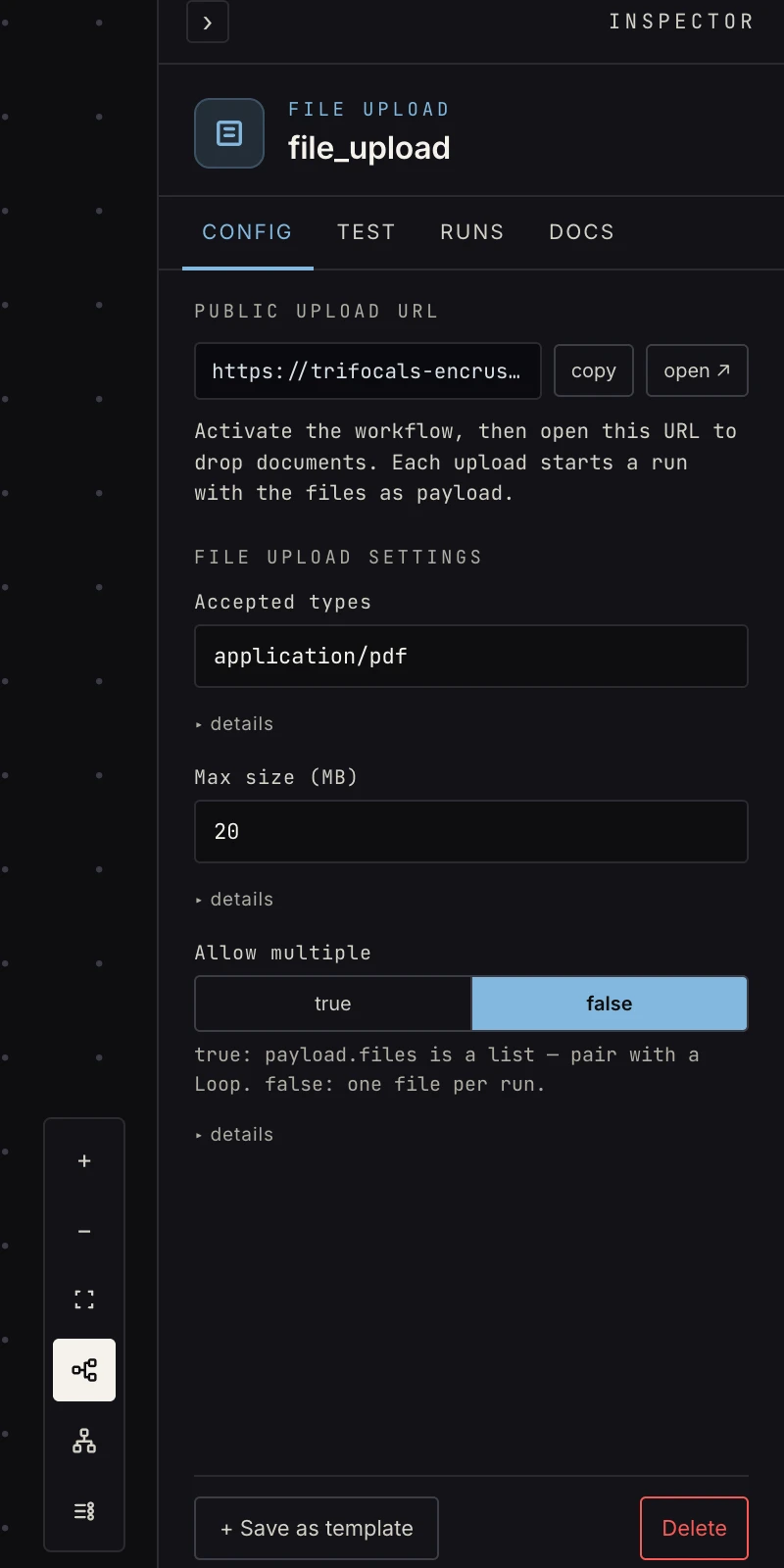 Accepted types, size cap, single or multiple.
- Accepted types: a comma-separated MIME filter the page's file
picker applies (
application/pdf,image/*by default). - Max size (MB): the per-file cap for this step, 25 by default. Independently, the upload endpoint refuses any single file over 30 MB with a 400.
- Allow multiple:
true(the default) lets one upload carry a batch;falsemakes the picker single-file. Either way the payload is a list.
Output
{
  "files": [
    {
      "filename": "invoice.pdf",
      "content_type": "application/pdf",
      "size": 84213,
      "key": "documents/…",
      "document_id": "…"
    }
  ]
}
Always a list, even single-file, so the first file is
{{ payload.files.0.filename }}. key is the storage location and
document_id the platform's record of it. Downstream document steps
(the AI agent's extract-from-document task)
read document_id straight off the descriptor, so you rarely pass
anything by hand. For a batch, loop over
payload.files so each file gets its own extraction.
The email trigger emits attachments in the same shape, so a pipeline built for uploads accepts emailed documents too.
Testing
The verify kind is capture_real: synthetic samples don't count as
proof here, by design. Press Run, open the upload URL, and upload a
real file; that upload both runs the draft and pins the step's
sample. Run step with no pinned sample reports "no uploaded sample
yet" rather than passing on an empty payload.
Patterns
- Upload → extract → store: vision-extract the fields, upsert into a store, notify.
- Upload → classify → route: sort documents by kind with classify, different handling per switch branch.
- Upload → knowledge base: drop a PDF, a knowledge write step indexes it, the agent can answer questions about it from then on.
Gotchas
- Verification wants a real sample. The walk opens the upload window and waits for one actual file; synthetic samples don't count as proof here by design.
- Filenames are sanitized in the storage
key(anything outside letters, digits, dot, dash, and underscore becomes an underscore), butfilenamekeeps the original, so display that one. - The page is public to anyone with the link. Treat the URL like a webhook URL: share it with the people who should upload, not on a website.
Related
- Form, the other hosted-page trigger.
- Email trigger for documents that arrive by mail.
- AI agent for the extract-from-document task.