Ask the docs
The chat panel on these pages: what it answers from, how to open it, what it will and won't do, and the limits that keep it free for everyone.
Where the assistant is switched on, every page of these docs has a
chat panel: ask the docs, top right, or press ? anywhere on a
docs page. (If you don't see the button, it isn't on for this site
yet.) Type a question in plain
words and Max answers from the documentation, with the pages it drew
on listed underneath so you can go read the full thing.
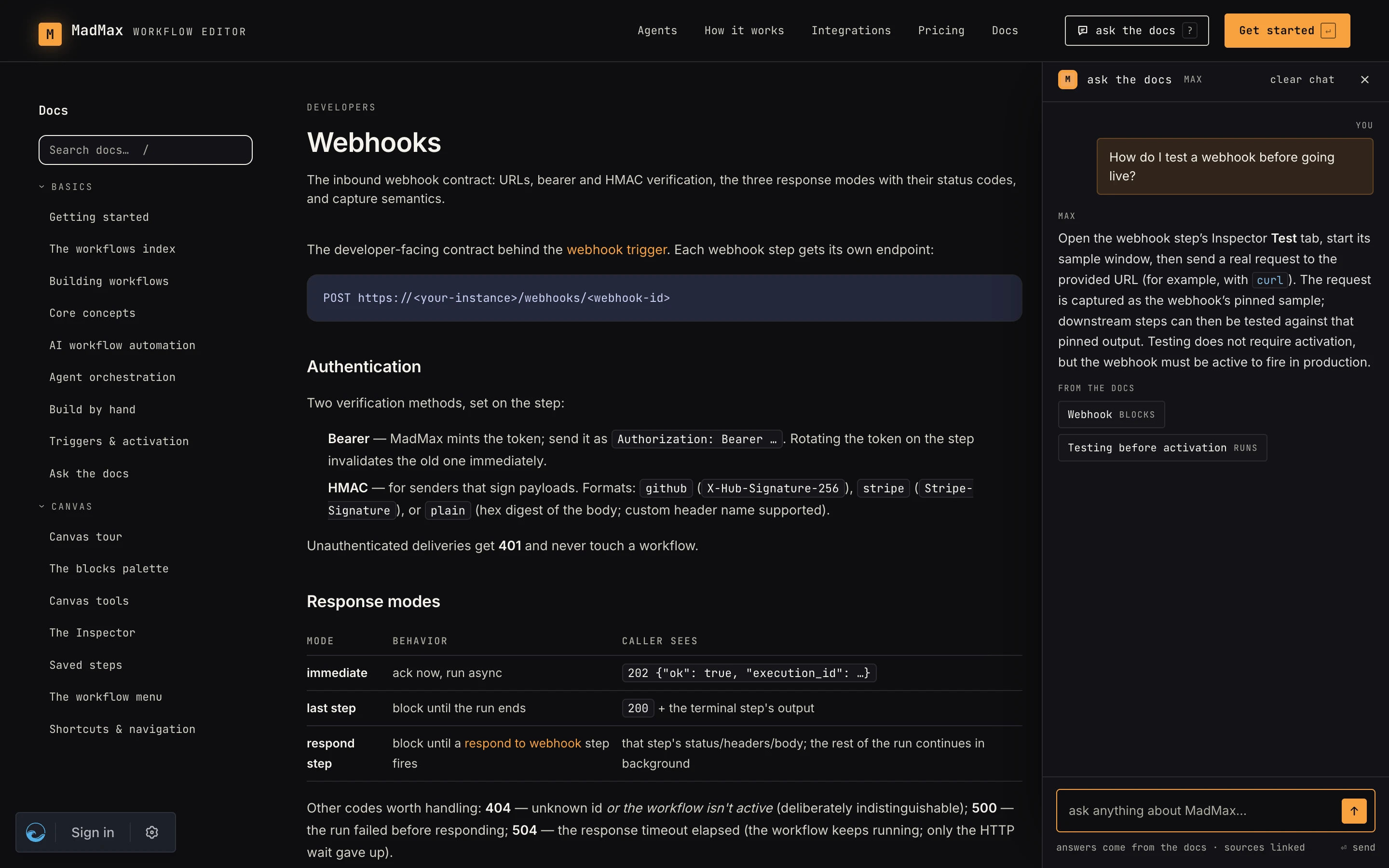 Ask in plain words; the chips under an answer link to the pages it came from.
What it answers from
Only these docs. The assistant searches the whole documentation set, every page in the sidebar and not just the one you have open, and nothing else: no access to your account, your workflows, your connections or your data, and no tools it can call. The page you are on is a hint for context, not a limit. If the docs don't cover something it says so instead of guessing, and points you at the nearest page. For questions about your workflows, use the chat on the canvas, which is a different assistant with a different job.
Every answer ends with from the docs: up to three pages the answer came from. Click one to open it; the panel stays open and the conversation stays with you as you move between pages.
Opening and closing
- ask the docs in the top bar, or the small pill in the bottom right corner when the panel is closed.
?opens it from anywhere on a docs page; the×in its header closes it.- The panel remembers whether you left it open or closed. It opens on your first visit.
- On a wide screen the page moves over to make room, so you can read the article and the answer side by side. On a narrow one the panel slides over the page; close it to get back.
- clear chat forgets the conversation. There is no history kept between visits.
Follow-up questions
The panel keeps the last few turns of the conversation, so "and how do I test that?" after a question about webhooks is understood. Long conversations drop the oldest turns; start fresh with clear chat when you change topic.
Limits
The assistant is free and needs no account, so a few guards keep it that way:
- Questions are capped at 500 characters. Ask one thing at a time.
- Each visitor gets a generous number of questions per ten minutes and per day. Hit the limit and the panel says so; wait a little and try again.
- Answers are short on purpose: a few sentences and the pages to read next, not an essay.
Usage is recorded so we can see how much the assistant is used, and that is all it is used for. Questions are never billed to anyone and never touch an account's credits, signed in or not.
When it is unavailable
A plain "unavailable" means the assistant couldn't answer right now:
the model timed out or the service is being updated. The docs
themselves are unaffected; search (/) and the sidebar always work.
Where to go next
- Getting started — the tour these docs begin with
- The chat — Max on the canvas, for your own workflows
- Security — what the platform does and doesn't have access to