Build mode & the plan
Type the goal, read the plan as the graph lands, and watch the loop run each step on real data and repair it until the plan reads ready, with undo.
Build is the only way the AI changes a canvas: you describe the outcome, Max plans it, builds it, and verifies it, proving every step against real data before the workflow can go live. On a canvas that already has steps, the same chat edits in place ("also email me a copy", "swap the channel to #alerts"). There's no plan, just the change.
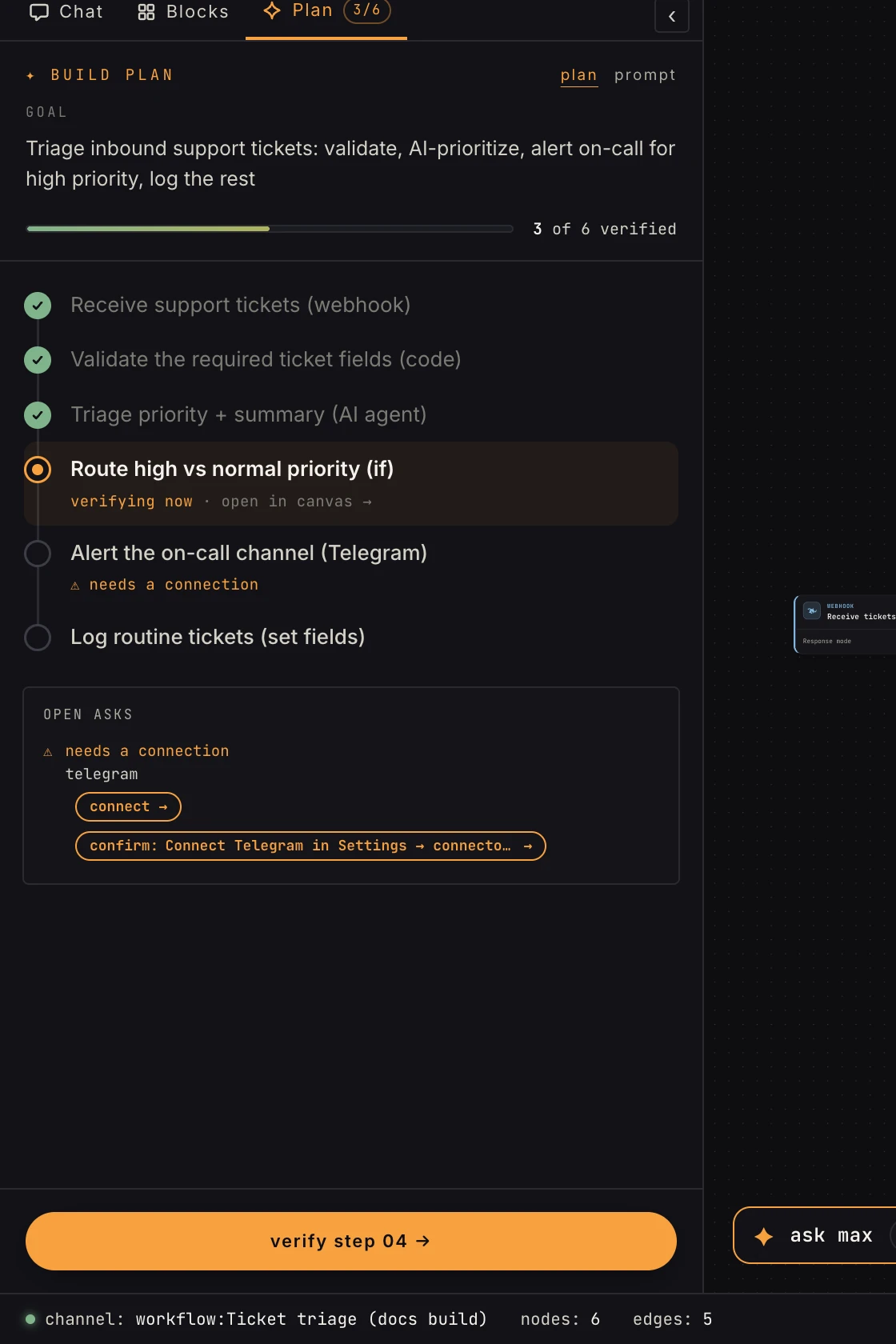 The plan is a living checklist: each row is one step's intent and its proof state.
The loop
- Describe: type the goal into the chat. One honest sentence beats a spec.
- The plan: Max proposes numbered steps, each with an intent and the data contract that will prove it. The plan card is a view you read while the build lands, not a gate: Max builds in the same turn. Say "plan first" or "let me review" and it stops after the plan instead, and then Build it is yours.
- The build: the whole graph lands on the canvas in one pass, linked to the plan rows. Planned steps render faded until proven; only verification solidifies them.
- The verification run: the server runs every read-safe step for real on realistic data and renders every send as a preview, then hands Max the report. Max repairs what it names and runs it again, as many times as it takes. Rows flip to green checks as proofs land; the counter tracks N of M verified.
- Ready: when every row is verified or deliberately skipped, the plan shows ready and the pill turns green. Max can turn it on when you say so (Activate in the topbar does the same); activation freezes the snapshot and retires the plan.
The three times it needs you
Everything the run can prove on its own, it proves. Three things it can't, and those become asks: visible questions on the plan row, never silent stalls.
- Connect an account: a step needs Slack/GitHub/etc. you haven't connected.
- Provide a real sample: an upload or form step wants one real submission to verify against.
- A real missing thing: a callable workflow, a store or a knowledge base that doesn't exist yet.
If a turn ends with a row still unverified and nothing changed, the row says so ("reply to continue, or press Verify"). That is the board asking, not Max giving up. Answer in the chat or use the row's affordance; the loop picks up where it stopped.
Editing by hand
It's your graph: drag, rewire, reconfigure whenever you like. Editing a verified step revokes its proof (the row demotes and re-verifies); nodes you add get adopted into the plan on Max's next turn. Every AI turn leaves a checkpoint, and Undo Max's changes (on the canvas rail) restores the graph to exactly before the last AI turn, available until you activate, edit past it, or start another turn.
The plan lives in two places
The left panel's Plan tab is the full view. While you're in the chat, the N/M plan pill keeps the count in sight and opens the plan peek, the same plan floating over the transcript.
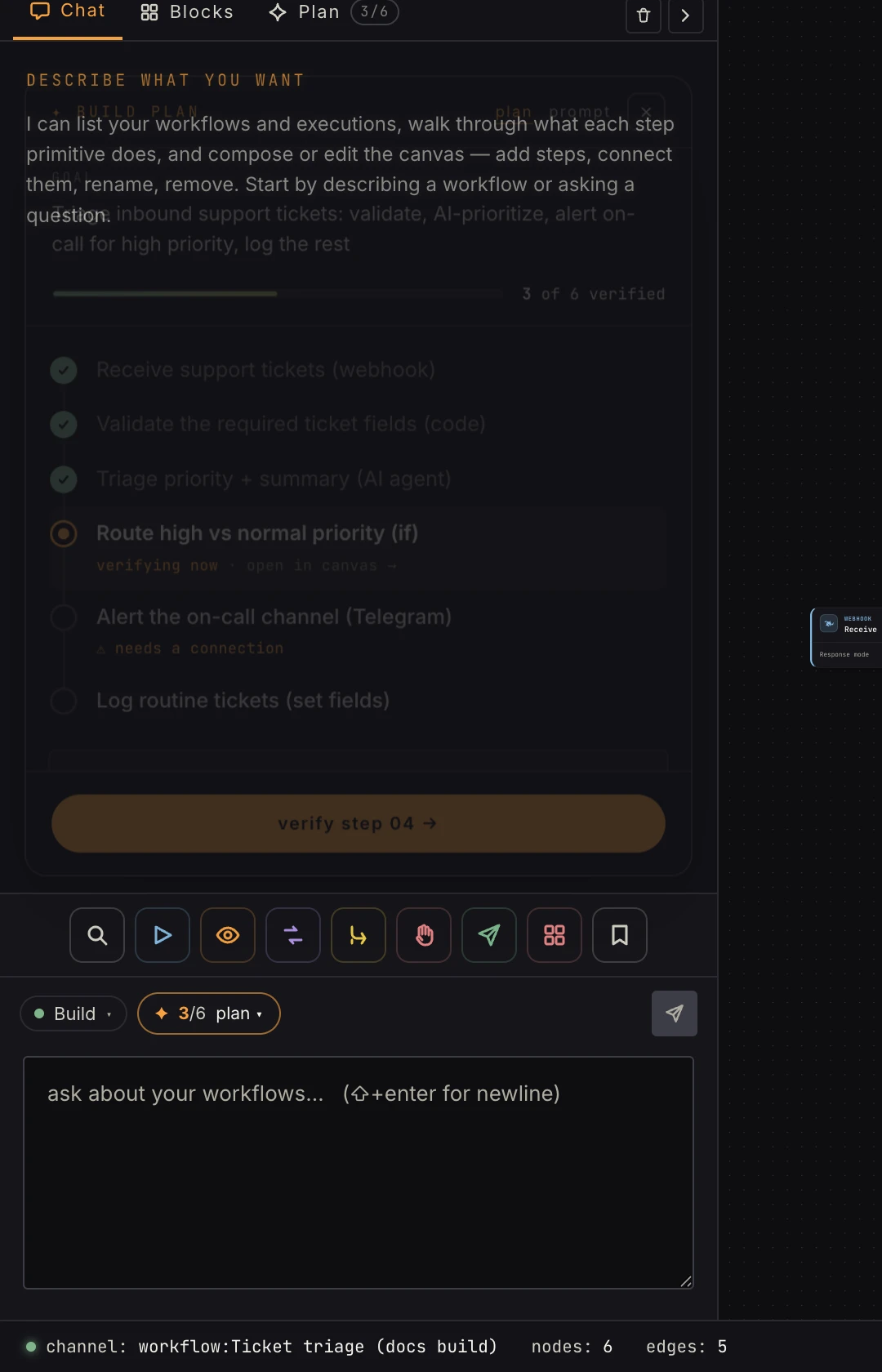 Same plan, chat-side. The pill turns green with a ✓ when the build is ready.
FAQ
What does a strikethrough row mean? Skipped: planned, then deliberately dropped (usually with your agreement). Skipped rows don't block ready.
Does editing pause a live workflow? No. The live snapshot keeps serving until you re-activate with the changes.
How much does a build cost? AI credits meter the model calls; a medium build is typically around a dollar. There's a spend checkpoint: the build pauses and asks before burning past its budget, and that budget is the only brake on the loop.