Custom prompt
The AI agent's freeform task: your own prompt, an optional JSON schema for structured output, tools (web, browser, code, workflows), memory, and knowledge.
The freeform task: write the instruction yourself. Everything the agent step can do (structured output, tools, memory, knowledge) hangs off this task.
Config
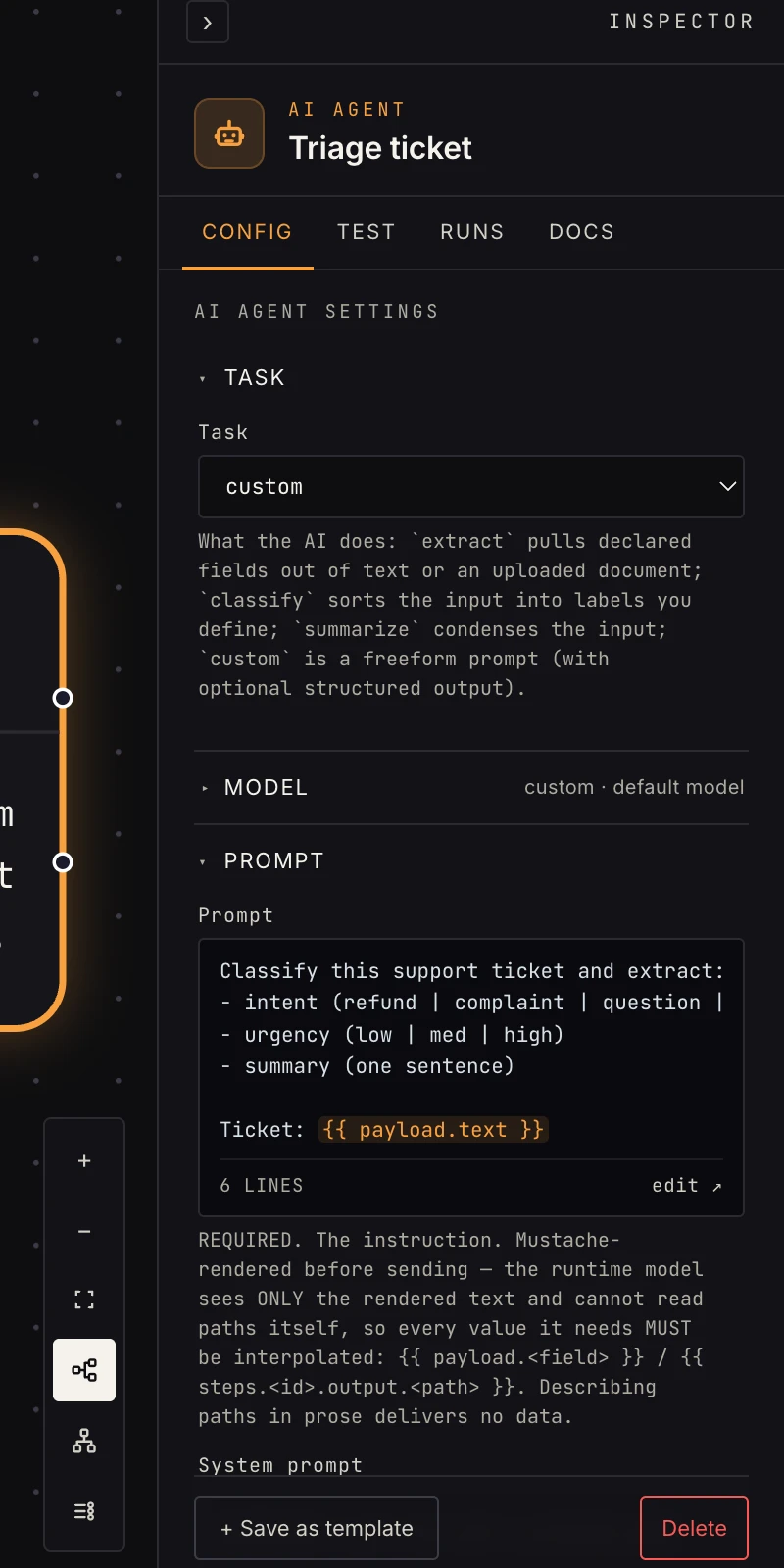 Prompt, optional system prompt, and the output schema.
- Prompt (required): the instruction. It's template-rendered
before sending: the model sees only the rendered text, so
every value it needs must be interpolated, like
{{ payload.text }}or{{ payload.customer.email }}. Describing a field in prose delivers no data. - System prompt: optional persona/rules sent as the system message. Also template-rendered.
- Output schema: optional JSON Schema. This picks the mode:
Two modes
Structured (schema set): the model returns JSON matching your
schema; each top-level property lands at payload.data.<field> for
downstream steps:
{ "ok": true,
  "data": { "intent": "refund", "urgency": "high" },
  "raw": "…", "usage": { "input_tokens": 812, "output_tokens": 41 },
  "error": null }
Text (no schema): the model's prose lands at payload.text.
Set a schema whenever a later step references specific fields, because
{{ payload.data.intent }} only exists in structured mode. Text
mode is for terminal steps: the last summary before a send.
Tools
Optionally hand the agent tools; it decides when to use them:
- calculator: real arithmetic instead of model math.
- browser: read any web page or PDF as Markdown (
read, with optional focus terms), and where the worker has a browser runtime, open pages in a real browser and click / type on the elements it lists (forms, logins you've given it, paginated results). - web: the web. Live search for pages it has no URL for (results injected as context, platform model only, billed per result) plus fetching pages mid-run, so "is google.com up?" finds the status page and reads it. With a schema set it's search only, so the answer stays structured.
- code: sandboxed JavaScript for on-the-fly computation.
- your connected apps: any operation of a connected app as a tool (look up a Slack user, read a thread, add a reaction…). The AI adds these when it builds; they show as chips here.
- your workflows: any workflow with a sub-workflow trigger becomes a callable tool; the agent runs it and reads its result.
With looping tools (calculator / web fetches / browser / code / workflows) the
agent runs a tool-calling loop and answers in text mode:
payload.text, plus a payload.tool_calls trace. The schema is
ignored.
Memory & knowledge
- Memory: pick an AI memory and the agent
remembers prior turns across runs. The session key (e.g.
{{ payload.chat_id }}) keeps different conversations separate; blank shares one session. With memory the agent answers in text mode. - Knowledge: pick a knowledge base and the agent retrieves the most relevant chunks (default 5, tune with Retrieved chunks) and answers grounded in them.
Gotchas
- The #1 failure: prose that mentions data instead of
interpolating it.
summarize the ticketsends nothing;summarize: {{ payload.ticket.body }}sends the ticket. - Tools + schema don't mix. A tool loop always answers as text. Need both? Chain a second agent step that structures the text.