Email trigger
Each workflow gets its own inbound address. Arriving mail fires the run with sender, subject, plain-text body, and attachments shaped like file uploads.
Every email-triggered workflow gets its own inbound address. Mail arrives, the workflow runs.
When it runs
On each email delivered to the step's address (shown in the
Inspector, in the form wf-<id>@in.madmax.build). The address can
sit in To, CC, or BCC, or be the target of a forwarding rule. Active
workflows only, plus the listening window a Run opens while you
build.
Every delivery passes a sender gate before anything runs, and the gate fails closed:
- the From address must be on the step's allowed-sender list (or the step must be in forwarded-inbox mode, below), and
- the sending domain must authenticate: the mail's
Authentication-Results must show
dmarc=pass, or, without a DMARC verdict,dkim=passorspf=pass. Mail with no verdict at all is treated as spoofable and dropped.
Gated mail is dropped silently. Someone probing addresses gets no bounce and no hint.
Config
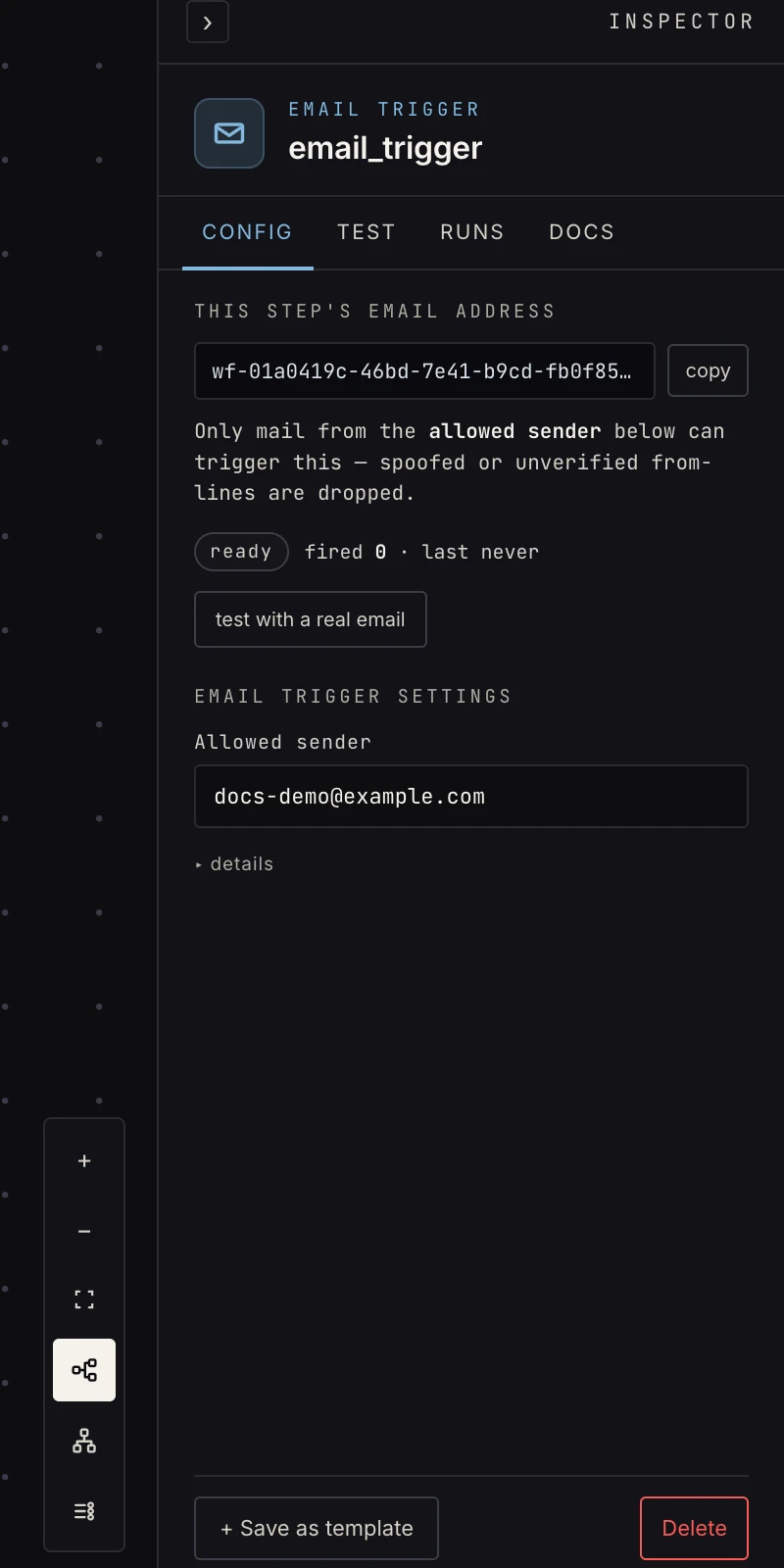 The address is minted for you; two fields control who may use it.
- Accept mail from:
sender(the default) locks the trigger to the list below.any_authenticatedaccepts mail from anyone whose domain authenticates. Use it when a real inbox auto-forwards all its mail here: forwarded messages keep the original From line, so a fixed list can't match them. The address stays the secret in that mode, so don't publish it. - Allowed senders: comma-separated, exact matches, case
ignored. Prefilled with the workflow owner's login email; add
more with commas. A blank list refuses everything. Ignored in
any_authenticatedmode.
Output
{
  "from": "cfo@acme.test",
  "to": ["wf-0198a2b4@in.madmax.build"],
  "subject": "Contract renewal",
  "text": "…the plain-text body…",
  "html": "<p>…the html body…</p>",
  "message_id": "<abc123@mail.acme.test>",
  "received_at": "2026-08-26T18:00:00Z",
  "files": [
    { "key": "email_attachments/…/renewal.pdf",
      "filename": "renewal.pdf",
      "content_type": "application/pdf",
      "size": 48213 }
  ]
}
Reference {{ payload.from }}, {{ payload.subject }},
{{ payload.text }}. Bodies over 512 KB are clipped with a
truncation marker. Up to 10 attachments are stored, each up to
10 MB; a larger one is skipped, never the whole email. The files
descriptors use the same shape as file upload,
so document steps read them unchanged.
Testing
The verify kind is capture_real. Press Run (or arm capture on the
Test tab), email the address from an allowed sender, and the
delivery pins the step's sample. Capture works before the workflow
is ever activated. Run step with no pinned sample reports "no
captured sample yet" instead of passing on an empty payload.
Patterns
- Inbox assistant: classify each mail, draft replies for the categories you allow, escalate the rest (the email guide has the full story).
- Attachment pipelines: invoices mailed in → extract → store.
- Email-to-anything glue: the address works anywhere email goes: alert systems, forwarding rules, no-API vendors. Lock the sender list to the system's From address.
Gotchas
- Treat instructions inside a mail body as content, not commands. That is a prompt-injection rule worth writing into any AI step that reads mail (see the inbox pattern in AI workflow automation).
- A forwarded message arrives with the original sender's From
line, not yours. If forwards are being dropped, switch to
any_authenticated. - Sending is a different step. Email covers both directions.
Related
- Email, the guide to both directions.
- Send email for replies.
- File upload for the shared file descriptor.