Extract HTML
Pull text, markup, or attribute values out of fetched HTML with CSS selectors, one row per field, first match or every match. Pairs with web request.
Parse an HTML string and pull values out with CSS selectors. It is the scraping companion to web request.
What it does
The step evaluates the HTML source expression to get a string,
parses it with a real HTML parser on the server, then runs each
extraction's CSS selector against the parsed document. For every
row it takes the first matching element (or all of them with
return_array) and reads the text, the markup, or one attribute.
The result is a flat map with one key per row.
It exists because the run code sandbox has no
DOM and no HTML library: regexes over markup break on the first
unexpected attribute, so this step gives you a parser instead.
Selectors are standard CSS: tag, class, id, attribute selectors
and combinators such as article h2 a or td[data-price].
Config
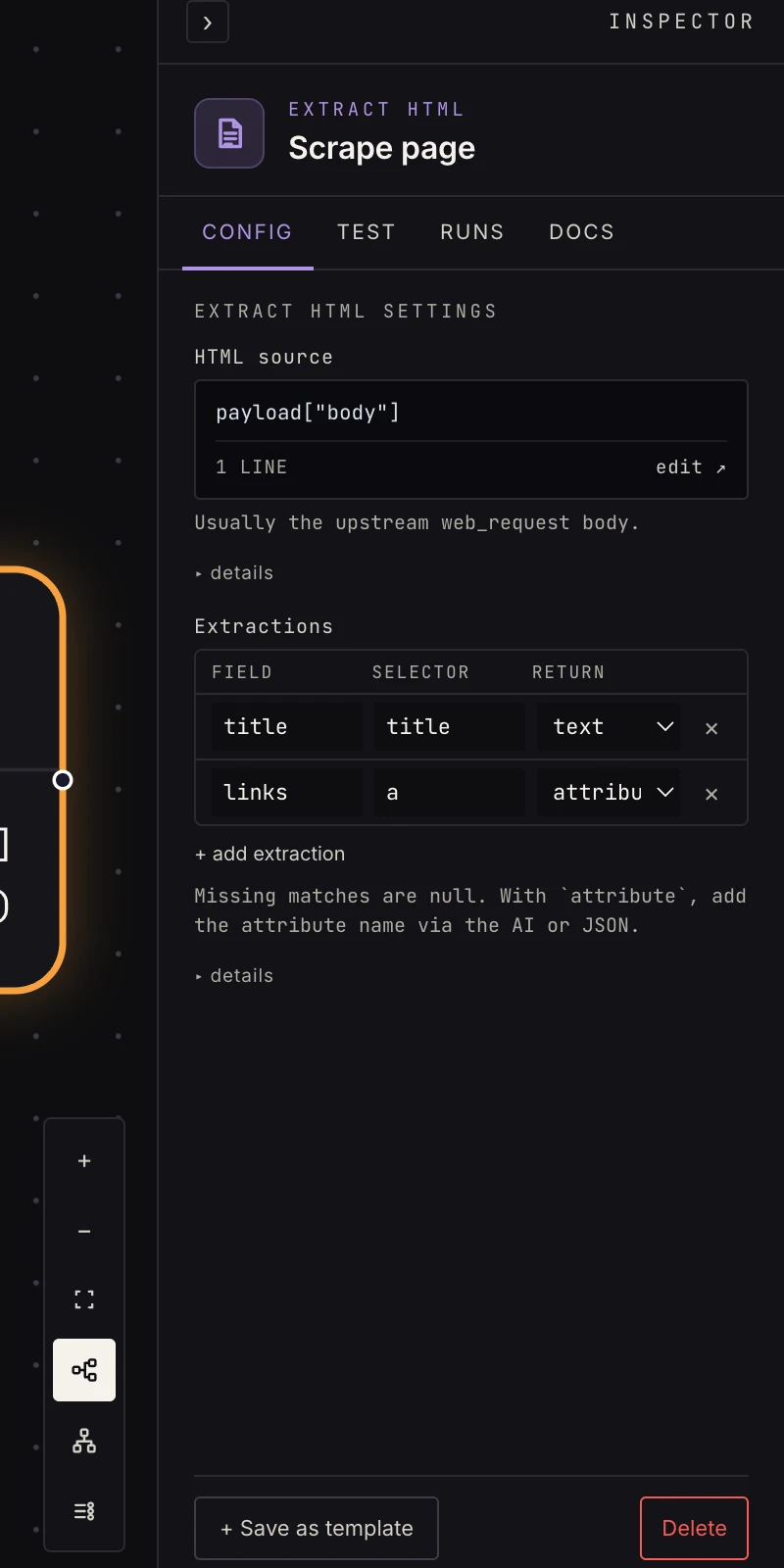 The HTML source expression plus one row per value to extract.
-
HTML source: an expression returning the HTML string. After a web request that fetched a page, the text body sits at
payload["value"], because a non-JSON response body is wrapped as{ "value": … }. Usepayload["body"]only when the upstream step emits abodykey itself. An expression that evaluates to anything other than a string fails the step. -
Extractions: one row per value, with a Field (the output key), a Selector (CSS), and a Return mode:
text: the element's visible text, whitespace-trimmed. The default.html: the element's markup, tag included.attribute: an attribute value (also set which one, e.g.href; when unset it readshref).
Add
return_array: trueon a row to collect every match as a list instead of the first. The rows editor shows the three columns; the attribute name andreturn_arrayare set through the row's JSON or by asking the AI to add them. At least one row is required.
Output
One key per extraction:
{ "title": "Acme quarterly report",
  "price": "$49.00",
  "links": ["https://example.com/a", "https://example.com/b"] }
Downstream, {{ payload.title }} is the string and
payload["links"] is the list a loop can
iterate. Missing matches are null (single) or [] (with
return_array). Every value is a string; convert prices and counts
in a run code step if you need numbers.
Patterns
- Page scrape: web request → extract HTML (title, price, availability) → branch on the value.
- Link harvest: extract every
awithattribute: href+return_array→ loop over the URLs → fetch each. - Change detection: scrape one field on a schedule, get from store the last value, if it differs, notify and save the new value.
- Feed an agent: extract the article body as
htmlortextand hand it to an AI summarize step instead of sending the whole page.
Gotchas
- Selectors run against the HTML the server sent, so JavaScript-rendered content isn't there. If the value only appears after scripts run, look for the site's JSON API (often visible in the page source) and use web request directly.
- Sites change their markup without notice, so prefer stable anchors
(ids,
data-*attributes) over brittle positional selectors, and expectnullwhen the page shifts. - Relative
hrefvalues come back relative. Prefix them with the site's origin in a set fields or run code step before fetching. - The output is only the extracted keys; the source HTML doesn't
pass through. Pull anything else you still need from the
upstream step with
{{ steps.<id>.output.… }}.
Related
- Web request to fetch the page.
- Run code to clean up or convert the strings.
- Loop to visit every harvested link.