AI Agent
One step, four tasks: custom prompt, extract, classify, summarize. Run on the platform model or your own key, set temperature, and route failures to error.
The AI step. One tile in the palette's Understand block, four tasks. Pick the one that names what you want:
| task | what it does | output lands at |
|---|---|---|
| Custom prompt | your own instruction, optional structured output, tools, memory, knowledge | payload.data.* or payload.text |
| Extract | pull declared fields out of text or an uploaded document (AI vision) | payload.fields.* |
| Classify | sort the input into labels you define | payload.data.label |
| Summarize | condense the input to the essentials | payload.text |
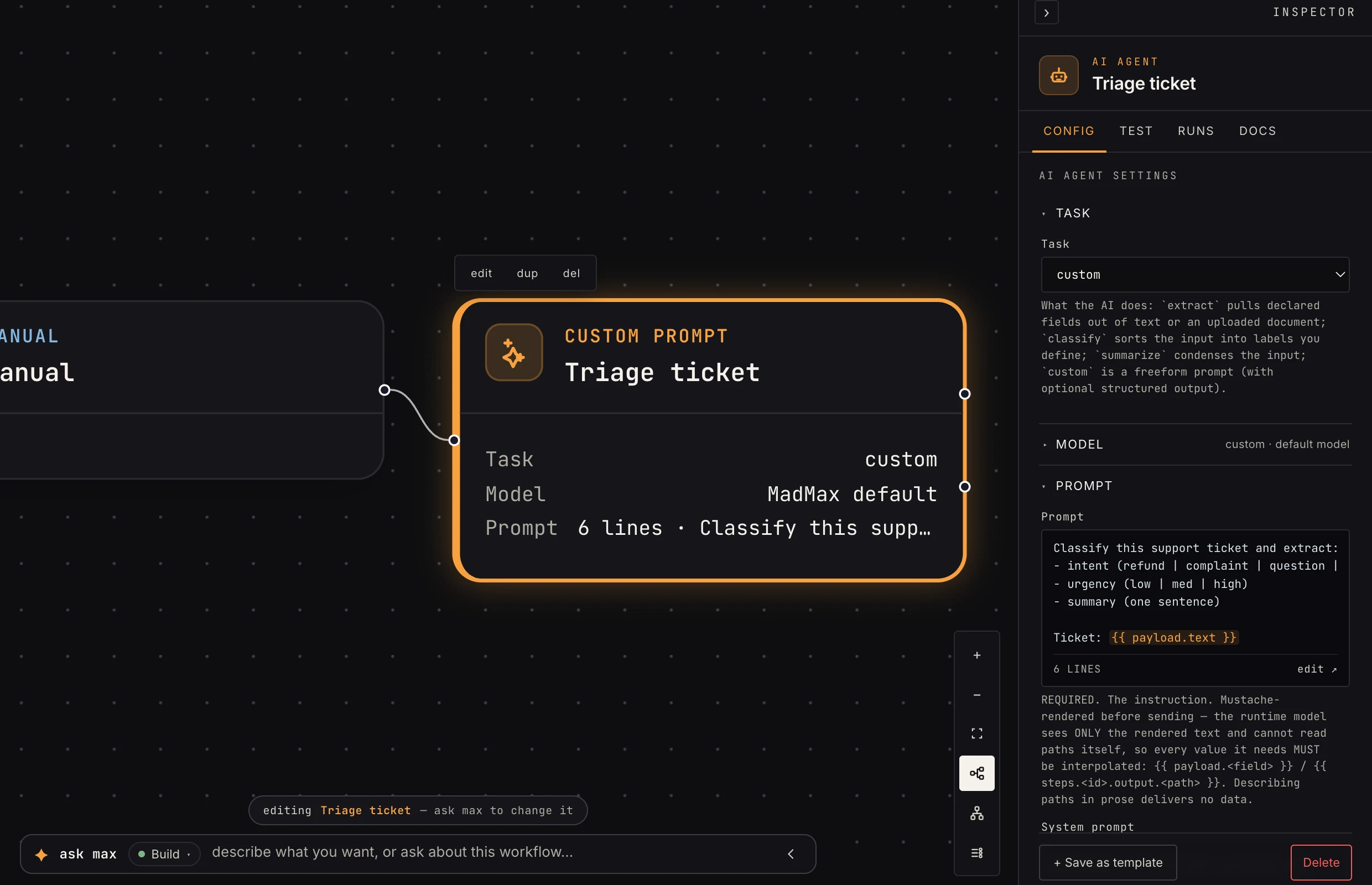 The task picker decides which fields the Inspector shows.
The model
By default the step runs on MadMax default, the platform model, billed to your workspace in credits, no API key needed. That's the right choice almost always.
To use your own provider instead (bring-your-own-key), connect an AI provider in settings → connectors and pick it in the Provider field. A Model picker then appears for that provider's models. Usage bills to your key, not your credits.
Temperature (advanced) applies either way: 0 is deterministic
(right for extraction and classification), higher is more creative.
Routing
The step has two output ports: ok and error. Success routes
ok. By default an API failure or schema violation fails the
step and the run. Set On failure to continue to route a
{ok: false, error: …} payload out the error port so the
workflow survives (pair it with a branch or a
notification on that port).
Which task?
- A later step references specific fields the AI produces → Custom prompt with an output schema, or Extract when the fields come from a document.
- Routing decisions ("is this a refund request?") → Classify, then branch on the label.
- Human-readable digest at the end of a chain → Summarize.
- Tools, memory, or knowledge-base retrieval → Custom prompt; the other tasks are deliberately simpler.